- Topic ID: id_15460548
- Version: 2.0
- Date: Nov 8, 2018 1:39:36 AM
HP Z400 SCSI Controller Card Replacement
Prerequisites
Overview
This procedure describes the steps necessary to perform HP Z400 (Optional) SCSI Card replacement. For preliminary requirements and finalization steps see HP Z400 Lower level FRU Replacement.
1 SCSI Controller Card Removal
Procedure
- Lay the Host Computer on its side with the system board facing up.
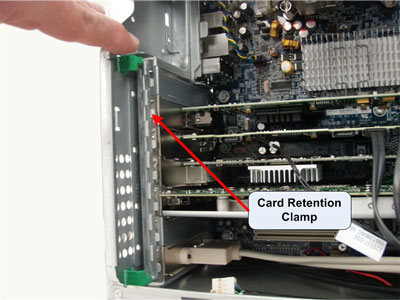
- Unlatch the Retention Clamp that holds the Expansion Cards in
place.
Figure 1. Expansion Card Retention Clamp Removal
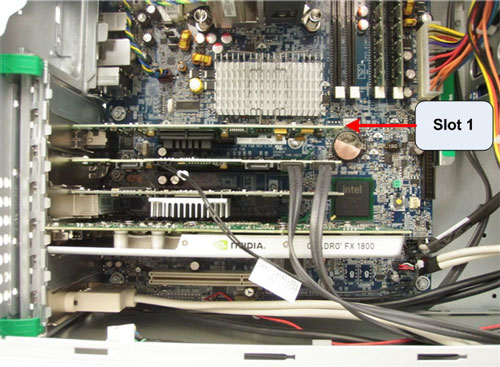
- Remove the SCSI Controller Card from Slot 1, set aside.
Figure 2. SCSI Controller Card Location
2 SCSI Controller Card Installation
Procedure
- Insert replacement SCSI Controller Card in Slot 1 of the Host Computer. Make certain the SCSI Card is fully seated in the motherboard.
- Latch the Retention Clamp that holds the Expansion Cards in place.
- Return to the HP Z400 Lower Level FRU Replacement procedure.
3 Finalization
No finalization steps.