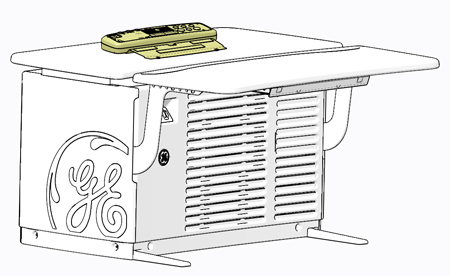
Refer to Replacement > Console (GOC6.6) > Console Cover Removal
and Installation Procedure .
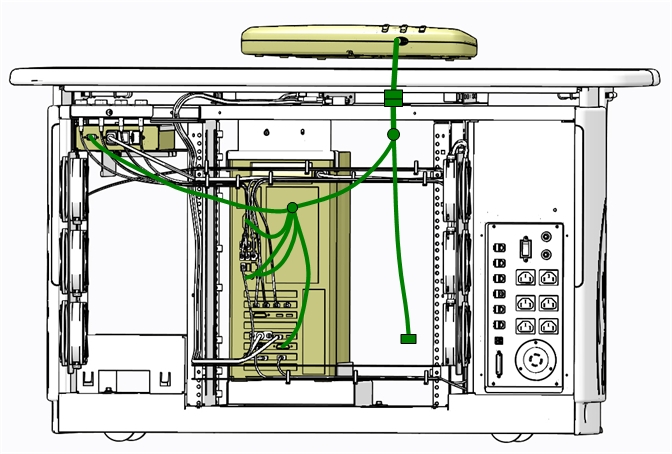
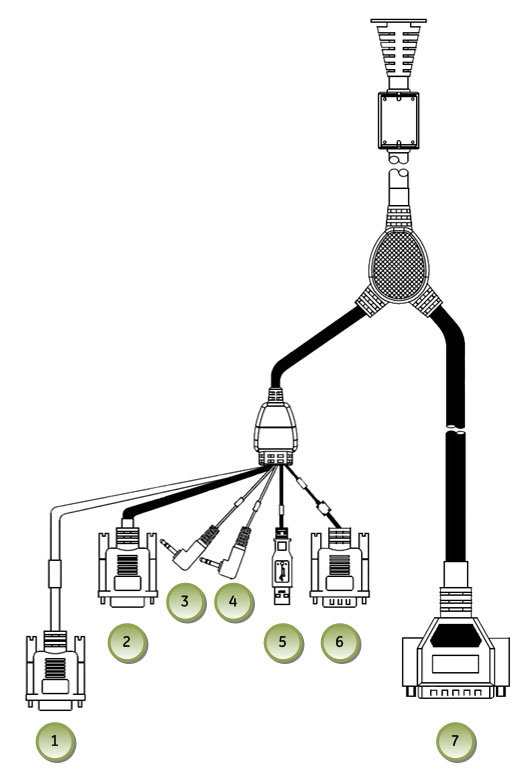
Disconnect the GSCB cable assembly from the host computer, GSCB
Power Module and the TGP Gantry Communication cable located at the
rear of the console.
Figure 2. GSCB Cable Connection Locations
Remove the Keyboard from the GSCB Keyboard Mounting Plate and
set aside.
note:
The keyboard will need to be unplugged/disconnected from
the Console Bulkhead Panel.
2 Replacement GSCB Preparation
Procedure
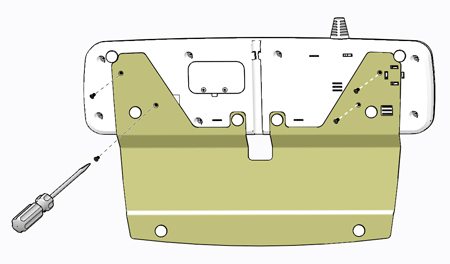
Transfer Keyboard Mounting Plate to new GSCB.
Figure 3. GSCB Keyboard Mounting Plate
Remove the four (4) Flathead Phillips screws to remove the Keyboard
Mounting Plate from the original GSCB Assembly and transfer the mounting
plate to the replacement GSCB using the same four (4) screws removed
from the original assembly.
Open Service Access Panel on the rear of the GSCB and set configuration
switches as necessary. See GSCB Configuration in the GSCB Configuration and Intercom Setup procedure
for necessary configuration settings.
3 GSCB Install
Procedure
Mount the Keyboard to the replacement GSCB Keyboard Mounting
Plate removed earlier.
Place the replacement GSCB assembly on the console top and route
the GSCB Cable to the rear of the console.