|
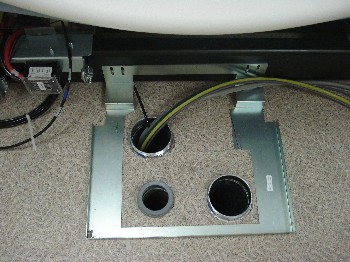
1. Install the rear entry cable box for routing all cables
to the gantry.
|
|
|
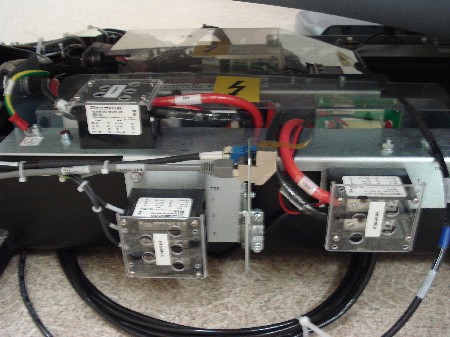
2. Connect the HVDC cable (Run #50) to the gantry power
pan. Observe correct polarity.
|
|
|
3. Connect the 440VAC cable (Run #51) to the gantry power
pan. Observe the correct phase rotation.
|
|
4. Plug in the LVAC gantry power cable (Run #52) to the
gantry power pan.
|
|
5. Connect the Ethernet cable (Run #102) and dual fiber
optic cable (Run #103) to the gantry power pan. Leave about 10 feet
of slack coiled under the gantry.
|
|
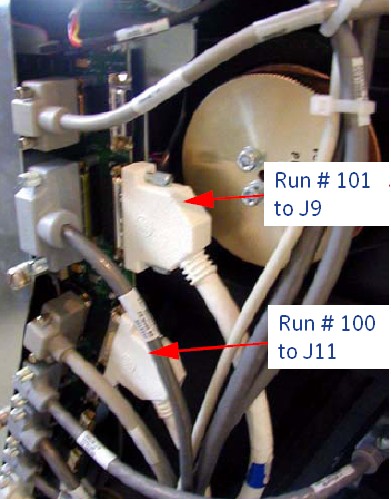
6. Route the two signal cables (Run #100 and #101) to
the TGPU. Connect Run #100 to J11 and Run #101 to J9.
|
|
