- Topic ID: id_15460630
- Version: 2.0
- Date: Nov 8, 2018 1:36:22 AM
Gantry Cable Connections
1 Rear Entry Cable Box
Rear cable entry is standard/preferred for cables. The base access area is limited, and the box is supplied with the system. Install the rear cable entry box (B7850RC/B7850TC) now, before routing cables to gantry.
-
Attach the rear entry cable box frame to the gantry base using four (4) screws that are shipped with the kit (see Figure 1). The assembly can be made to fit floor entrance conduit or surface floor duct. However, ensure all conduits or floor ducts fit inside the base plate.
Figure 1. Install Base Plate to Gantry
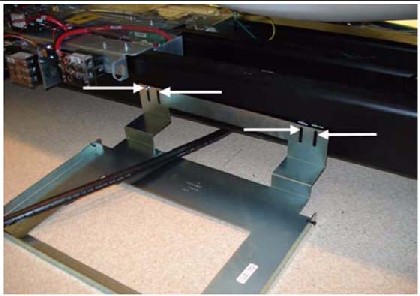
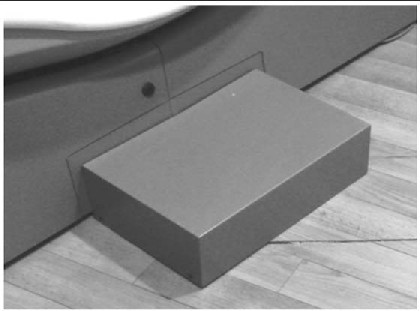
Figure 2. Rear Entry Cable Box
-
There are three pairs of spacers shipped with this cover. Select the pair that is most appropriate for this site, based on the hardware. The three types are: Solid metal, Precut L-shaped metal, and Solid plastic - Can be cut
-
Cut filler plates to fit the cover box into the opening, if necessary.
-
When finished, it should look like the lower picture in Figure 2.
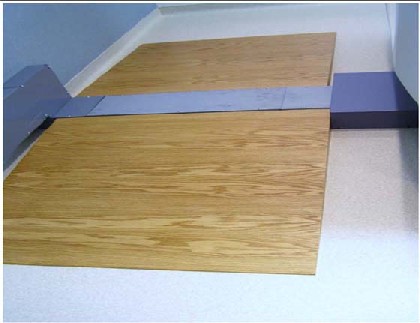
2 Rear Entry with Surface Floor Duct
Figure 3. OSHA Ramp Example
3 Gantry Power Pan Connections
All system interconnect cables are located on the lean cart on the bottom right corner.
 |
|
-
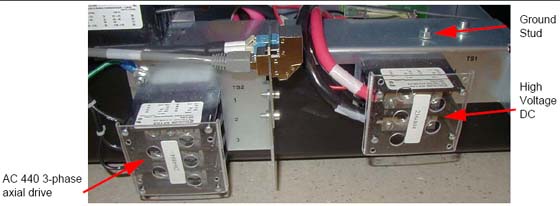
Install the cables to the gantry power pan. The power pan is located on the rear of the gantry at its base. See Figure 5 for connections.
note:The gantry 120VAC cable may not fit under the gantry frame. Install this cable before gantry placement—or remove the power plug—to route it under the gantry. In doing so, be careful not to damage the cable or power plug.
Leave approximately 3 m (10 ft.) of the dual channel fiber and gantry Cat 5 cables under the gantry frame for troubleshooting.Figure 4. Gantry Power Pan
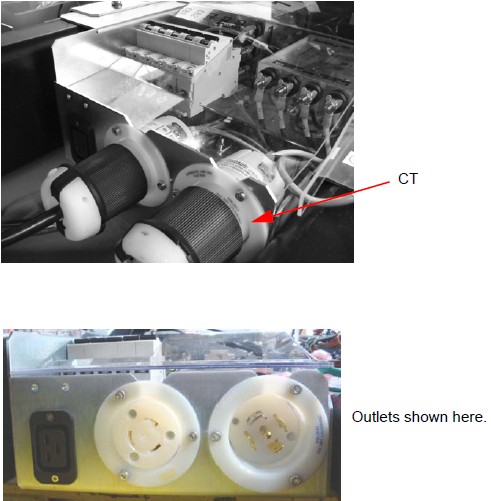
Figure 5. Gantry Power Pan Connections
-
From the console:
-
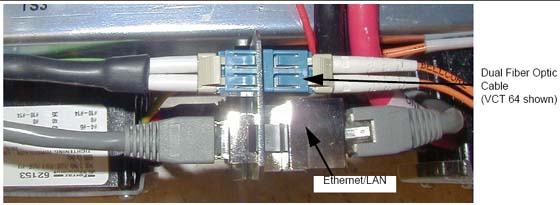
Install the fiber run #103
-
Install the console LAN #102
Both cables should click into place when they are connected (see Figure 6).Figure 6. Close-up of Power Pan Bulkhead
 note:
note:The fiber cable and the LAN cable must click when locked in place.
HD fiber cable is slightly thicker, but is still fragile! Use care when routing the fiber cable.
-
4 TGPU Connections
Install cables to the gantry TGPU. These two cables can be found on the lean cart in the cable collector boxes. Run 100 gantry TGPU J11 to PDU; run 101 gantry TGPU J9 to console.
Figure 7. TGPU Connections (View A)
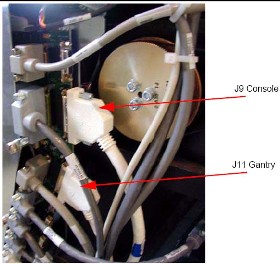
Figure 8. TGPU Connections (View B)