
- SIGNA™ Hero 3.0T Service Methods
- 5852800-8EN Revision 1.0
- 00000018WIA30800F20GYZ
- id_131061442.4
- Jul 13, 2021 7:04:33 PM
Table Functional Check
Prerequisites
| Required persons | Preliminary requirements | Procedure | Finalization |
|---|---|---|---|
| 1 | 0 minutes | 30 minutes | 0 minutes |
| ||||
Table UP/Down check
Procedure
- Press Up pedal and ensure that the table moves to the topmost
condition.
Figure 1. Table UP/Down Check 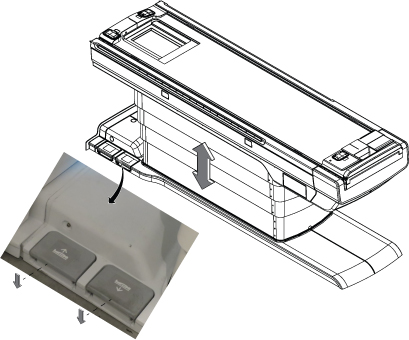
Cradle In/Out check
Procedure
- Press Cradle out button on the Gantry and ensure that the cradle
moves outside the Bore.
Figure 2. Cradle In/Out check 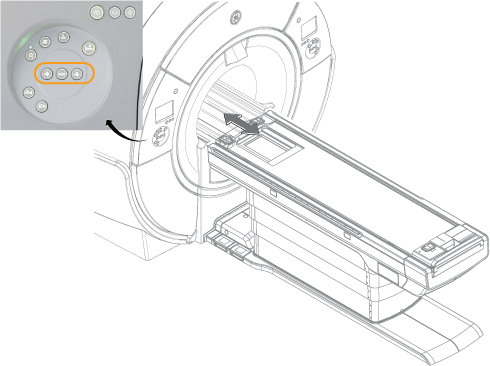
Emergency egress Check
Procedure
- Press Cradle in button on the Gantry, Take cradle in by 2500mm
approximately. Pull up the Handle of the Cradle, and pull the cradle
out to the home position. Ensure its possible to pull the cradle with
this process. Also, check that cradle is locked at home location.Note:
To re-engage the cradle, pull up the cradle handle and push the cradle back to the rigibelt.
Figure 3. Emergency egress Check 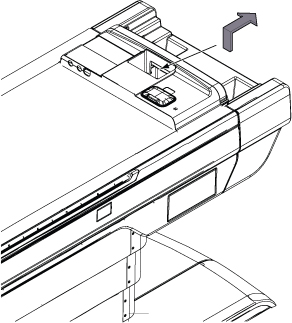 Note:Please confirm that rigibelt is not pulled with the cradle during the egress release check at 2500mm because rigibelt can be observed there.
Figure 4. 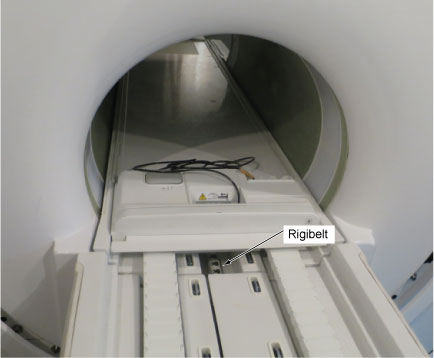
Touch and Go strip Functional Check
Procedure
- Press the Touch and Go strip landmark strip on one side of the
table at any location. Then, confirm that the landmark location appears
as a dotted green line on the in-room display.Note:
If more than 5 seconds elapse after touching the Touch and Go strip and pressing Landmark or Advance to Scan, the green landmark line is removed from the in-room display.
Figure 5. landmark location 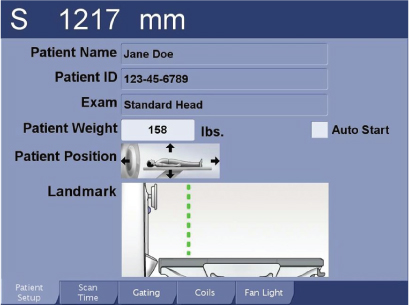
Finalization
Finalization
No finalization steps.