
- SIGNA™ Hero 3.0T Service Methods
- 5852800-8EN Revision 1.0
- 00000018WHA30FD9BGYZ
- id_20021376.0
- Jul 8, 2019 1:45:25 PM
Shutting Down the ICN from the Root Level
Shutting down the host computer shuts down the system safely and turns off the power to the host computer.
About this task
Procedure
- In the xterm window, type:
/etc/init.d/poweron_vres stopand press ENTER.Figure 1. VRE Stop Command 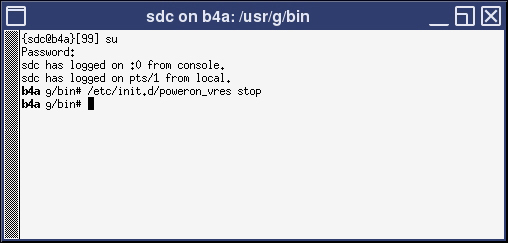
Result
The ICN should shut off after one minute. The Dell ICN is shut off (powered down) if the green power LED located on the upper left side of the front of the ICN is not illuminated.