- SIGNA™ Hero 3.0T Service Methods
- 5852800-8EN Revision 1.0
- 00000018WIA30BF8110GYZ
- id_200421510.1
- Jul 13, 2021 3:56:30 PM
Setting up 3.0T anterior array (AA)
Set up the 3.0T anterior array (AA) for the Multi-Coil Quality Assurance (MCQA) check.
Prerequisites
Note: Coils do not ship with phantoms. Phantoms come in a unified phantom set with the system.
| Personnel requirements | |||
|---|---|---|---|
| Required persons | Preliminary requirements | Procedure | Finalization |
| 1 | - | 30 minutes | - |
| Tools and test equipment | |||
|---|---|---|---|
| Item | Quantity | Part number | Manufacturer |
| TL Unified Phantom (for 3.0T) | 2 | 5343347-2 | - |
| Safety |
|---|
|
Before working in any GE Healthcare MR suite or performing any GE Healthcare service procedure, you must:
If you have any safety concerns at any time, do not begin work or immediately stop work and move to a safe location. Immediately contact your supervisor or site safety officer for instructions on how to proceed. |
Procedure
- Put the flat filler panel on the table.
Figure 1. Flat filler panel 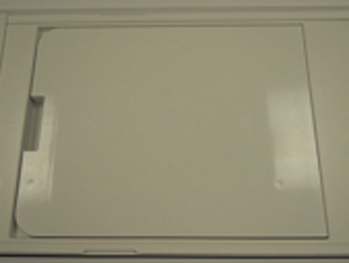
- Do the following steps:
- Place two TL unified phantoms on the table. Align the phantoms with the edge of the flat filler panel.Note: Phantom positioner spacer is not needed for setup.
Figure 2. TL unified phantoms 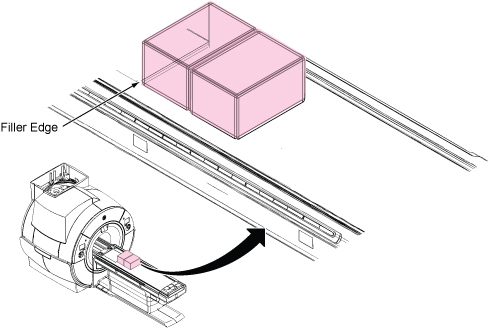
- Place PA phantom positioner onto the two TL unified phantoms.
Figure 3. Positioning of PA phantom positioner 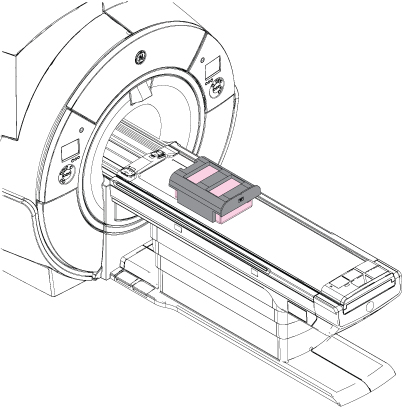
- Place two TL unified phantoms on the table. Align the phantoms with the edge of the flat filler panel.
- Do the following steps to set up the AA coil:
- Connect the coil to port P2.
Figure 4. Securing coil to positioner 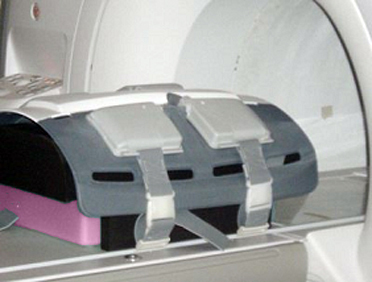
- Connect the coil to port P2.
- Set the center position of the AA coil connected on port P2 using the Touch and Go strips on the side of the table.
Figure 5. Setting center position of AA coil using Touch and Go 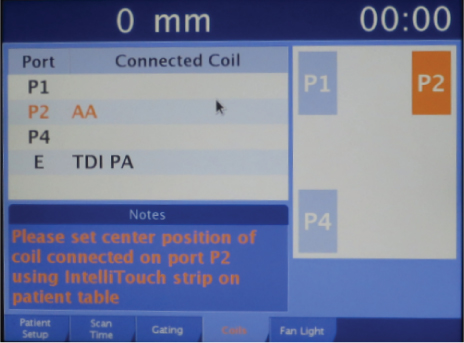
- Landmark the AA coil at the crosshair mark and press Advance to Scan.
Figure 6. Landmarking on AA coil 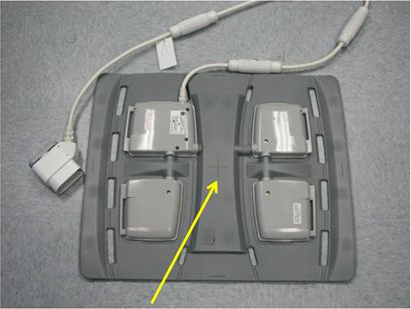
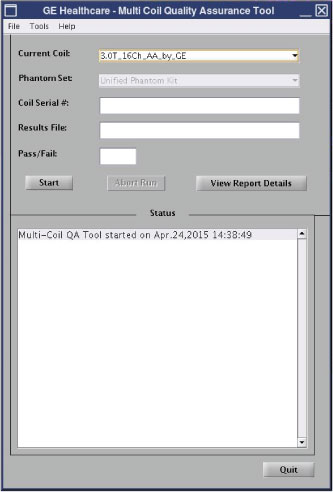
- Run the MCQA check.Note: Select 3.0T_16Ch_AA_by_GE (or equivalent platform option) in the Current Coil field.
Figure 7. MCQA tool menu