- SIGNA™ Hero 3.0T Service Methods
- 5852800-8EN Revision 1.0
- 00000018WIA30759110GYZ
- id_20042467.1
- Jul 13, 2021 3:56:30 PM
Setting up 3.0T HD flat GEM table breast array
Use this procedure to set up the 3.0T HD flat GEM table breast array for the Multi-Coil Quality Assurance (MCQA) check.
Prerequisites
| Personnel requirements | |||
|---|---|---|---|
| Required persons | Preliminary requirements | Procedure | Finalization |
| 1 | - | 30 minutes | - |
| Tools and test equipment | |||
|---|---|---|---|
| Item | Quantity | Part number | Manufacturer |
| 100 mm Sphere Phantom for 3.0T | 2 | 2360034 | - |
| Unified Phantom Positioner | 1 | 5343432 | - |
| Safety |
|---|
|
Before working in any GE Healthcare MR suite or performing any GE Healthcare service procedure, you must:
If you have any safety concerns at any time, do not begin work or immediately stop work and move to a safe location. Immediately contact your supervisor or site safety officer for instructions on how to proceed. |
Procedure
- Place the flat filler panel on the magnet end of the table.
Figure 1. Flat filler panel 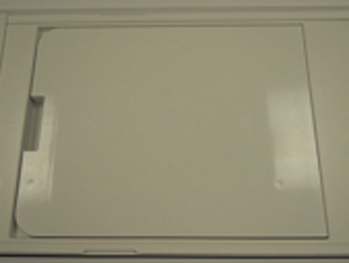
- Place the coil on the patient table and insert the phantom positioner into the coil.
Figure 2. Phantom positioner inserted in coil 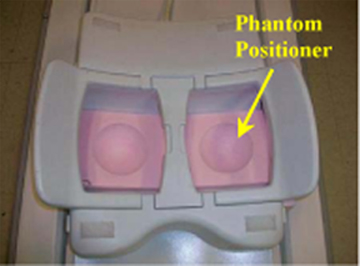
Figure 3. Position of spherical phantoms - side view 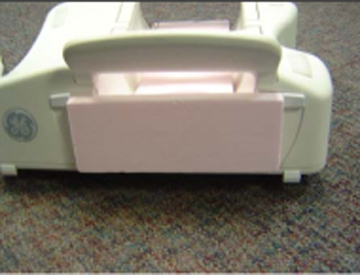
- Landmark on the center of the bridge between both chambers and press Advance to Scan.
Figure 4. Landmark on center of bridge 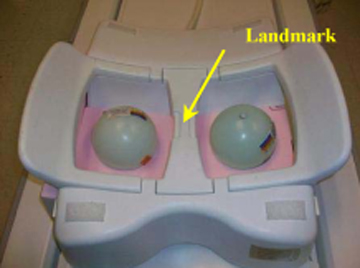
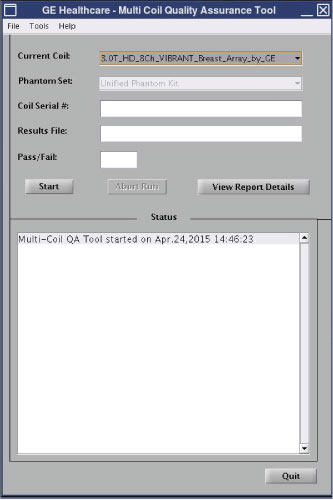
- Run the MCQA check.Note: Select 3.0T_HD_8Ch_VIBRANT_Breast_Array_by_GE in the Current Coil field.
Figure 5. MCQA tool menu