
- SIGNA™ Hero 3.0T Service Methods
- 5852800-8EN Revision 1.0
- 00000018WIA306E2C40GYZ
- id_20189154.2
- Jul 7, 2021 3:51:58 PM
Removing the dockable table handle-end cradle cover
Removes the cover from the handle-end of the dockable table cradle.
Prerequisites
| Personnel requirements | |||
|---|---|---|---|
| Required persons | Preliminary requirements | Procedure | Finalization |
| 1 | - | 15 minutes | - |
| Tools and test equipment | |||
|---|---|---|---|
| Item | Quantity | Part number | Manufacturer |
| Nonmagnetic Titanium Service Tool Kit, Small Set | 1 | 5113258 | - |
Procedure
- If connected, disconnect the following connections from the handle-end cradle cover:
Figure 1. Handle-end cradle cover connections 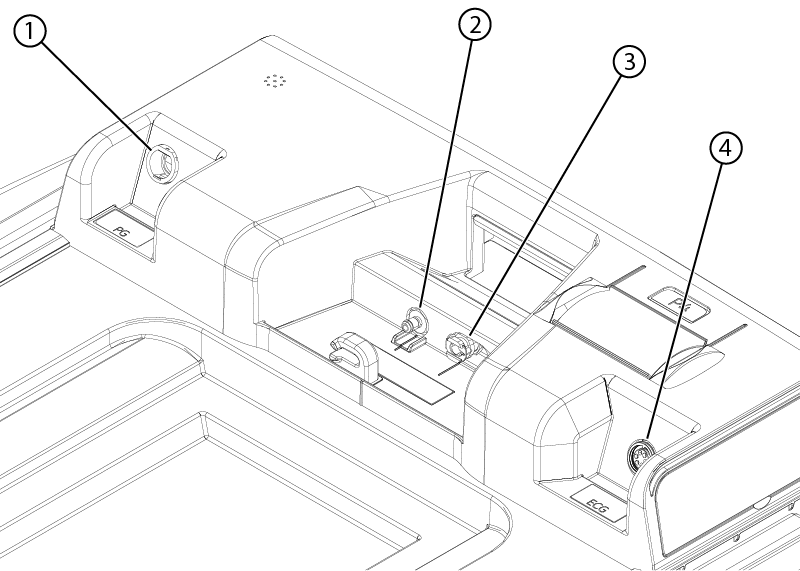
1 Peripheral gating connector 2 Patient alert tube 3 Respiratory tube 4 Electro-cardiogram connector - Remove the handle-end cradle cover side covers by prying them off with a screwdriver.
Figure 2. Side covers 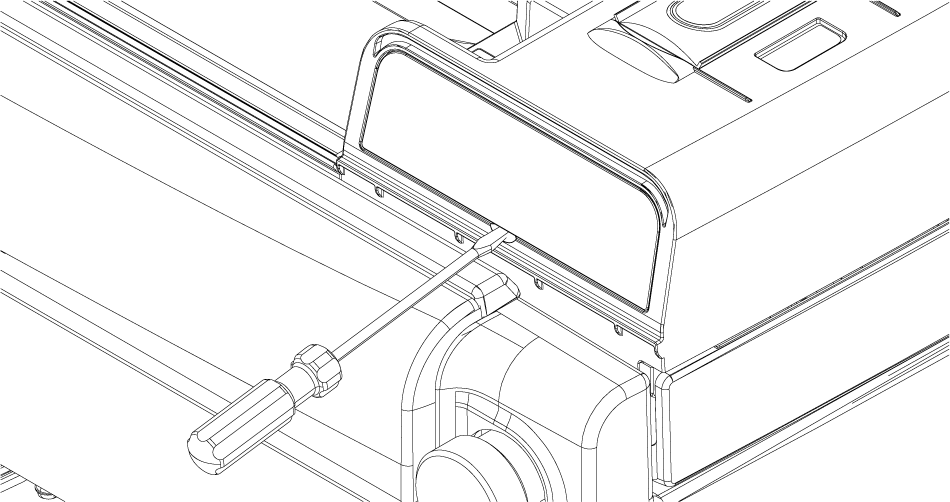
- Remove the four screws securing the cover to the cradle.
Figure 3. Handle-end cradle cover screws 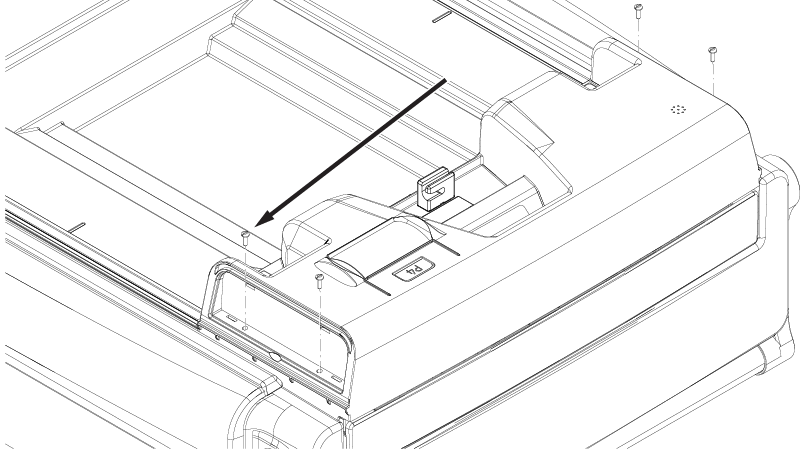
- If required, disconnect the required handle-end cradle cover components from the cover as follows:
Figure 4. Handle-end cradle cover components 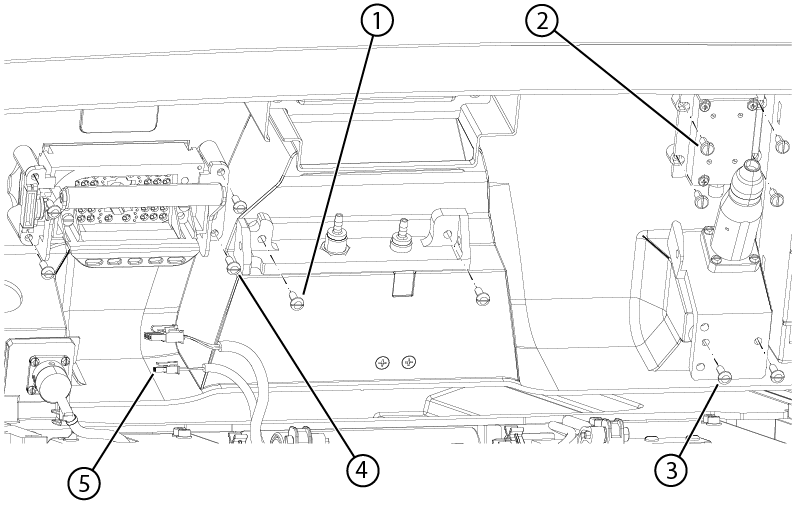
1 Pneumatic connection bracket screw 2 Microphone screw 3 Peripheral Gating (PG) bracket screw 4 P-port screws 5 Emergency egress connector - Remove the two screws securing the pneumatic connection bracket to the cover.
- Remove the four screws securing the microphone to the cover.
- Remove the two screws securing the PG bracket to the cover.
- Disconnect the egress switch connector.
- Remove the four screws securing the P-port to the cover.