
- SIGNA™ Hero 3.0T Service Methods
- 5852800-8EN Revision 1.0
- 00000018WIA30390F20GYZ
- id_131064574.0
- Nov 2, 2021 1:08:53 PM
MCQA Setup - TDI Posterior Array Upper
Prerequisites
| Required persons | Preliminary requirements | Procedure | Finalization |
|---|---|---|---|
| 1 | Not Applicable | 30 minutes | Not Applicable |
| Item | Quantity | Effectivity | Part number | Manufacturer |
|---|---|---|---|---|
| TL Unified Phantom (for 3.0T) | 2 | - |
5343347-2 | - |
| PA Phantom Positioner (for both 1.5T and 3.0T) | 1 | - |
5405748 | - |
| Phantom Positioner Spacer | 1 | - |
5628216 | - |
| The 1.5T Coil MCQA test uses the 1.5T phantoms, which are green. The 3.0T Coil MCQA test uses the 3.0T phantoms, which are pink. | - | - | - | - |
Procedure
- Note:Place the flat filler panel on the table.
Before running MCQA on 3.0T PA, run Dual drive quadrature tool.
Figure 1. Flat Filler Panel 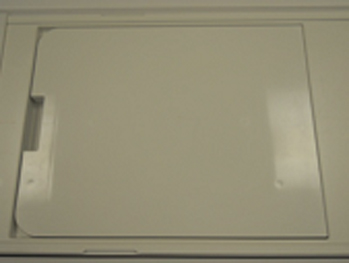
- Move the cradle so that alignment light hit on the TDI PA Coil
Front End Line on both side of cradle.Note:
There are a lines at both side of the cradle.
Figure 2. Alignment 1 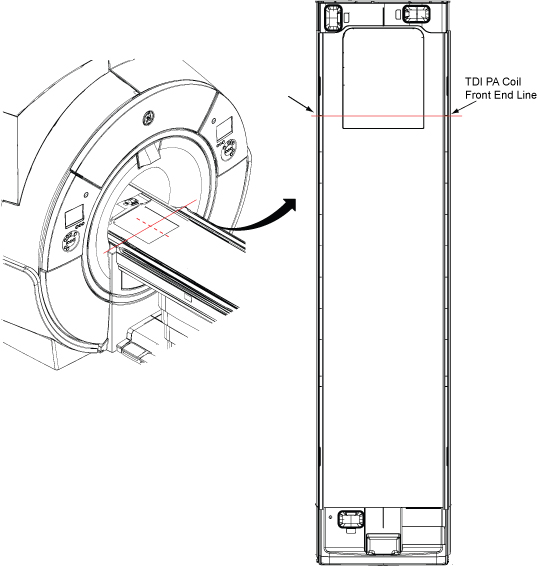
- Perform PA phantom setup per following steps.
Place the two TL Unified Phantoms and the spacer on the table.Notice - Place PA phantom positioner over two TL unified phantoms.
Figure 3. PA phantom setup 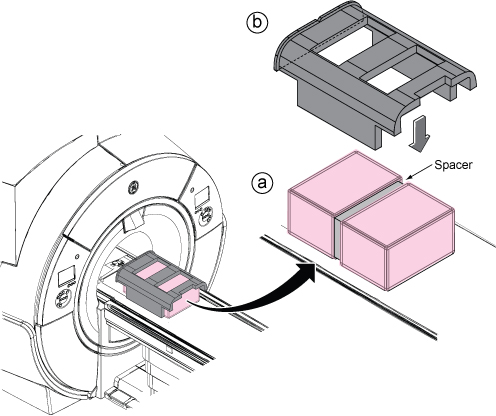
- Move the phantom with positioner so that alignment line and
alignment dent of the positioner are aligned with the beams.
Figure 4. Alignment 2 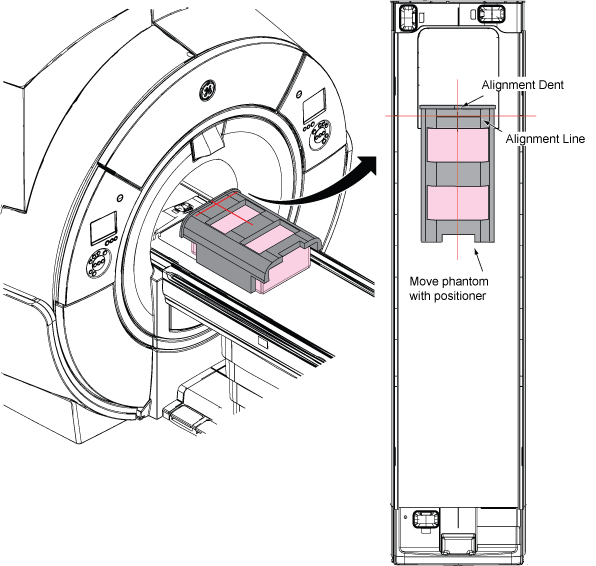
- Run the Multi-Coil Quality Assurance (MCQA) Tool. Select “3.0T_32Ch_TDI_PA_Upper” from pull down of Current Coil List.
Figure 5. MCQA Tool Menu 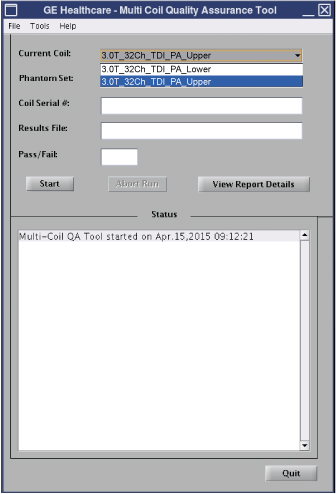
Finalization
No finalization steps.