
- SIGNA™ Hero 3.0T Service Methods
- 5852800-8EN Revision 1.0
- 00000018WIA30590F20GYZ
- id_131060534.0
- Nov 2, 2021 1:09:25 PM
MCQA Setup - TDI Posterior Array Lower
Prerequisites
| Required persons | Preliminary requirements | Procedure | Finalization |
|---|---|---|---|
| 1 | Not Applicable | 30 minutes | Not Applicable |
| Item | Quantity | Effectivity | Part number | Manufacturer |
|---|---|---|---|---|
| TL Unified Phantom (For 3.0T) | 2 | - |
5343347-2 | - |
| PA Phantom Positioner (for both 1.5T and 3.0T) | 1 | - |
5405748 | - |
| Phantom Positioner Spacer | 1 | - |
5628216 | - |
| The 1.5T Coil MCQA will utilize the 1.5T phantoms, which are green in color. The 3.0T Coil MCQA will utilize the 3.0T phantoms, which are pink in color. | - | - | - | - |
Procedure
- Note:Place the Flat Filler Panel (shown below) closest to the bore on the table.
Prior to executing MCQA on 3.0T PA, perform Dual Drive Quadrature Calibration (see Dual drive quadrature tool).
Figure 1. Flat Filler Panel 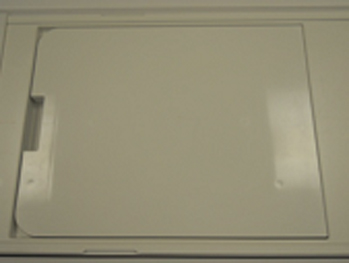
- Move the cradle so that alignment light hit on the TDI PA Coil
Lower End Line on both side of cradle.Note:
There are a lines at both side of the cradle.
Figure 2. Alignment 1 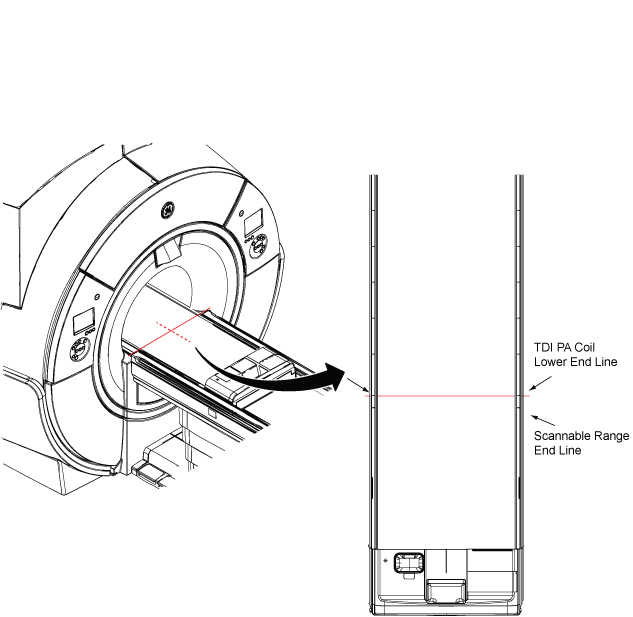
- Perform PA phantom setup per following steps.
Place the two TL Unified Phantoms and the spacer on the table.Notice - Place PA phantom positioner over two TL unified phantoms.
Figure 3. PA phantom setup 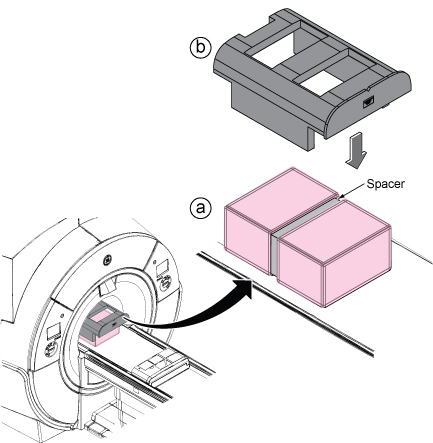
- Move the phantom with positioner so that alignment line and
alignment dent of the positioner are aligned with the beams.
Figure 4. Alignment 1 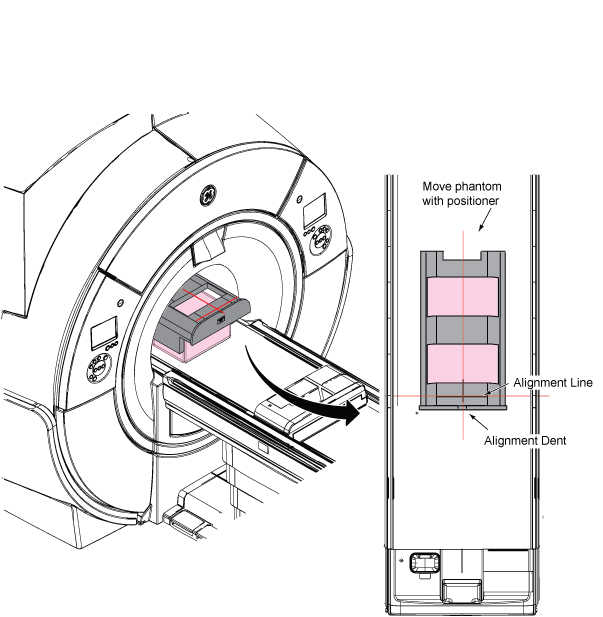
- Run the Multi-Coil Quality Assurance (MCQA) Tool. Select “3.0T_32Ch_TDI_PA_Lower” from pull down of Current Coil List.
Figure 5. MCQA Tool Menu 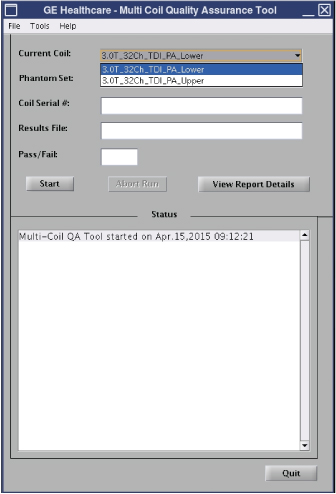
Finalization
No finalization steps.