
- SIGNA™ Hero 3.0T Service Methods
- 5852800-8EN Revision 1.0
- 00000018WIA30A15730GYZ
- id_20121555.3
- Dec 31, 2021 7:26:32 PM
Creating local users
Configure the local users settings.
Procedure
- Click the Local Users tab.
Figure 1. Local Users window 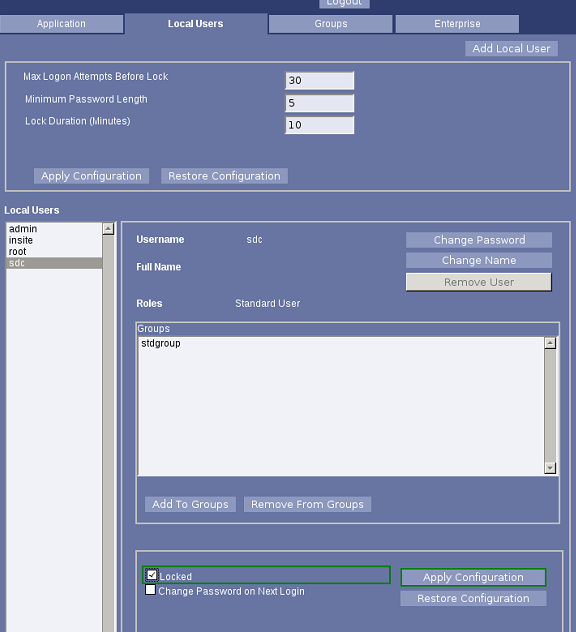
Configure the local users settings.