Installs the upper service access panel. This panel covers components mounted on top of the magnet.
Prerequisites
Personnel requirements
Required persons
Preliminary requirements
Procedure
Finalization
1
-
5 minutes
-
Tools and test equipment
Item
Quantity
Part number
Manufacturer
Nonmagnetic Titanium Service Tool Kit, Small Set
1
5113258
-
Required conditions
Left-hand upper rear cover is installed.
Right-hand top cover is installed.
Left-hand upper front cover is installed.
Procedure
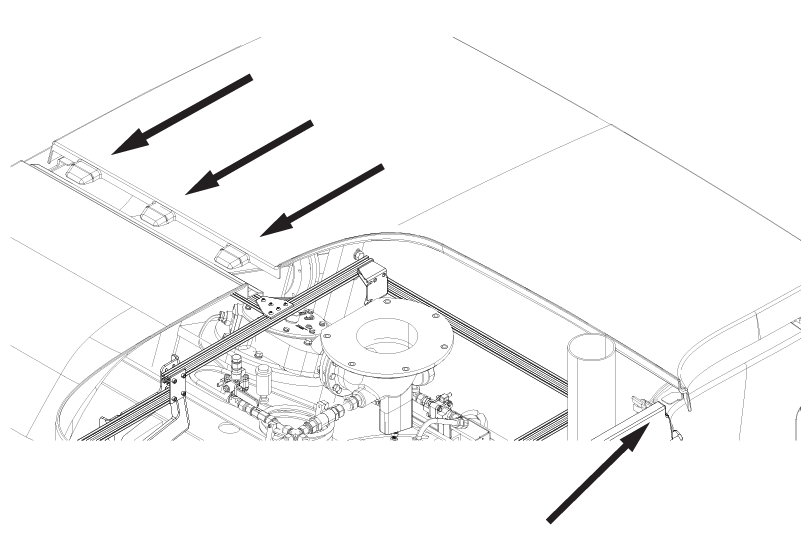
Align the upper service access panel tabs with the left-hand upper rear and right-hand top covers.
Figure 1. Upper service access panel tabs
Install the upper service access panel onto the magnet enclosure.
Slide the access panel inward towards the magnet. Make sure the panel slides fully into place with the screw-hole tabs touching the bracket on each side.
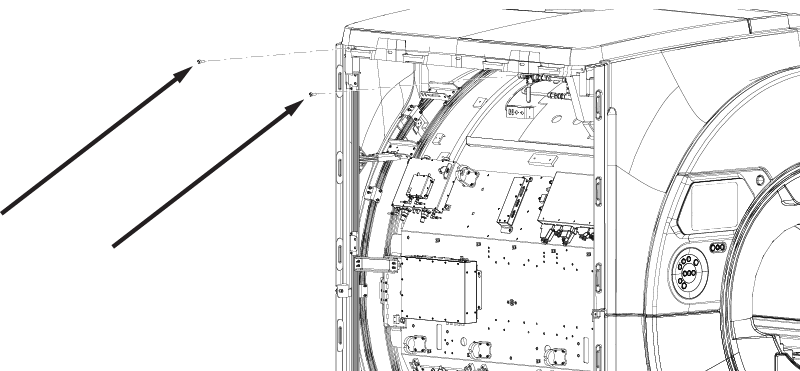
Install two M10 x 25 Socket Head Cap Screws securing the access panel to the magnet enclosure.