
- SIGNA™ Hero 3.0T Service Methods
- 5852800-8EN Revision 1.0
- 00000018WIA30422C40GYZ
- id_20182573.4
- Apr 23, 2020 8:51:39 PM
Installing the oil catch pan
Installs the oil catch pan onto the dockable patient table.
Prerequisites
| Personnel requirements | |||
|---|---|---|---|
| Required persons | Preliminary requirements | Procedure | Finalization |
| 1 | - | 5 minutes | - |
Procedure
- From the bore-end of the table, slide the oil catch pan onto the rails under the table.Note: Make sure the catch pan is oriented the correct direction as shown. An incorrectly installed catch pan may prevent the docking hook from engaging completely.
Figure 1. Oil catch pan 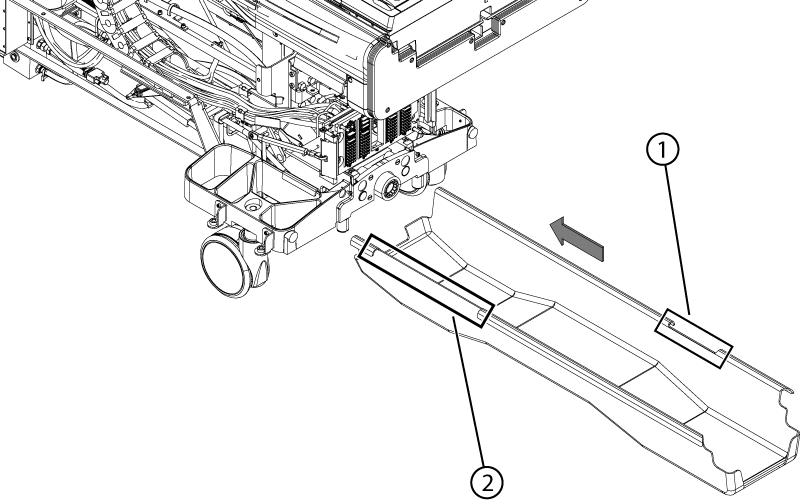
1 Small gap 2 Large gap - Press the caster lock pedal.
Figure 2. Brake caster lock pedal 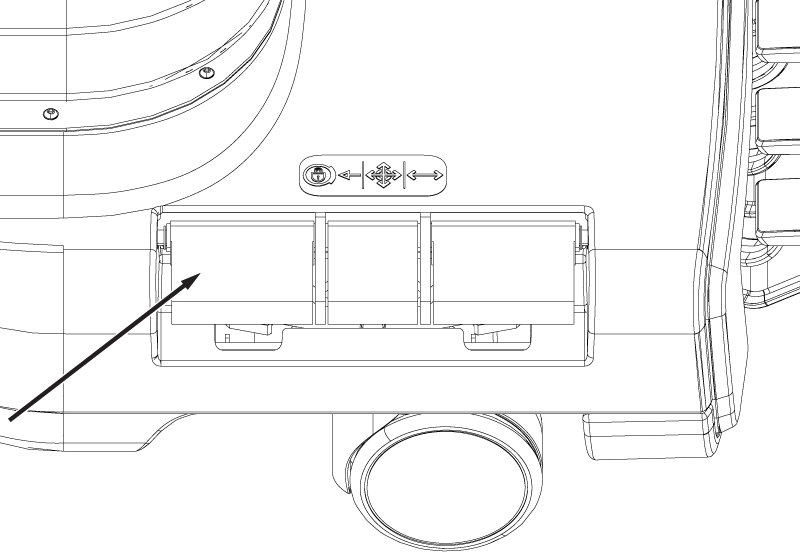
- Press the free rotate pedal. Rotate the table left and right. Make sure that each wheel casters and rolls.
Figure 3. Brake free rotate pedal 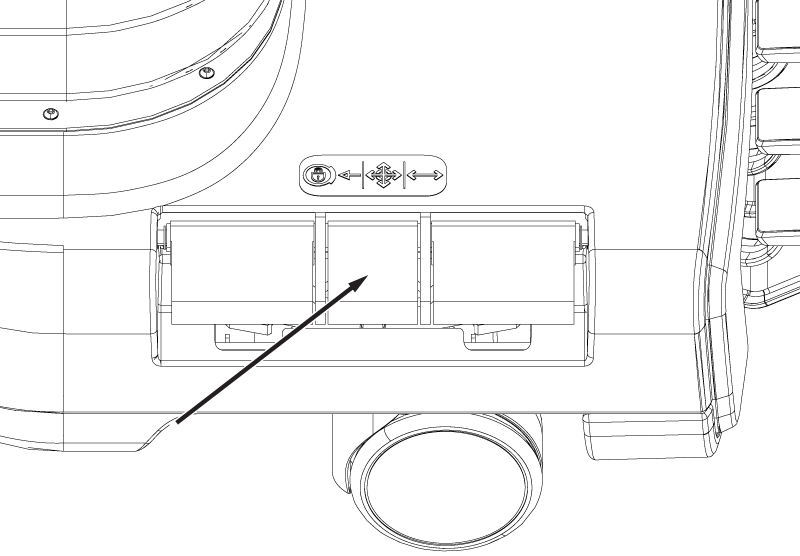
- Press the steer lock pedal. Rotate the table left and right. Make sure that both the rear and the right front wheels caster.
Figure 4. Brake steer lock pedal 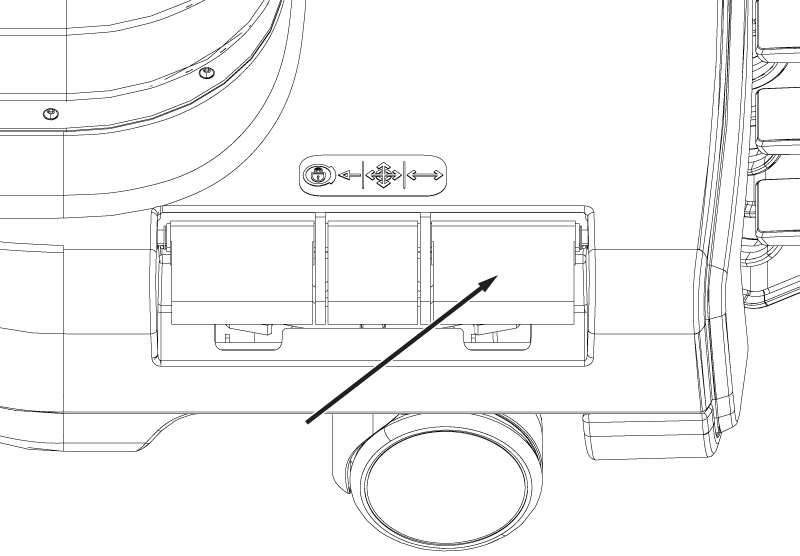
Result
The left front wheel should remain oriented longitudinally along the table (it could rotate up to 180 degrees before locking).