
- SIGNA™ Hero 3.0T Service Methods
- 5852800-8EN Revision 1.0
- 00000018WIA30318030GYZ
- id_123738242.13
- Jun 2, 2020 1:44:04 PM
Configuring IPv6
Prerequisites
| Personnel requirements | |||
|---|---|---|---|
| Required persons | Preliminary requirements | Procedure | Finalization |
| 1 | - | - | - |
About this task
To enable the communication of the MR console with IPv6 devices, complete the following steps.
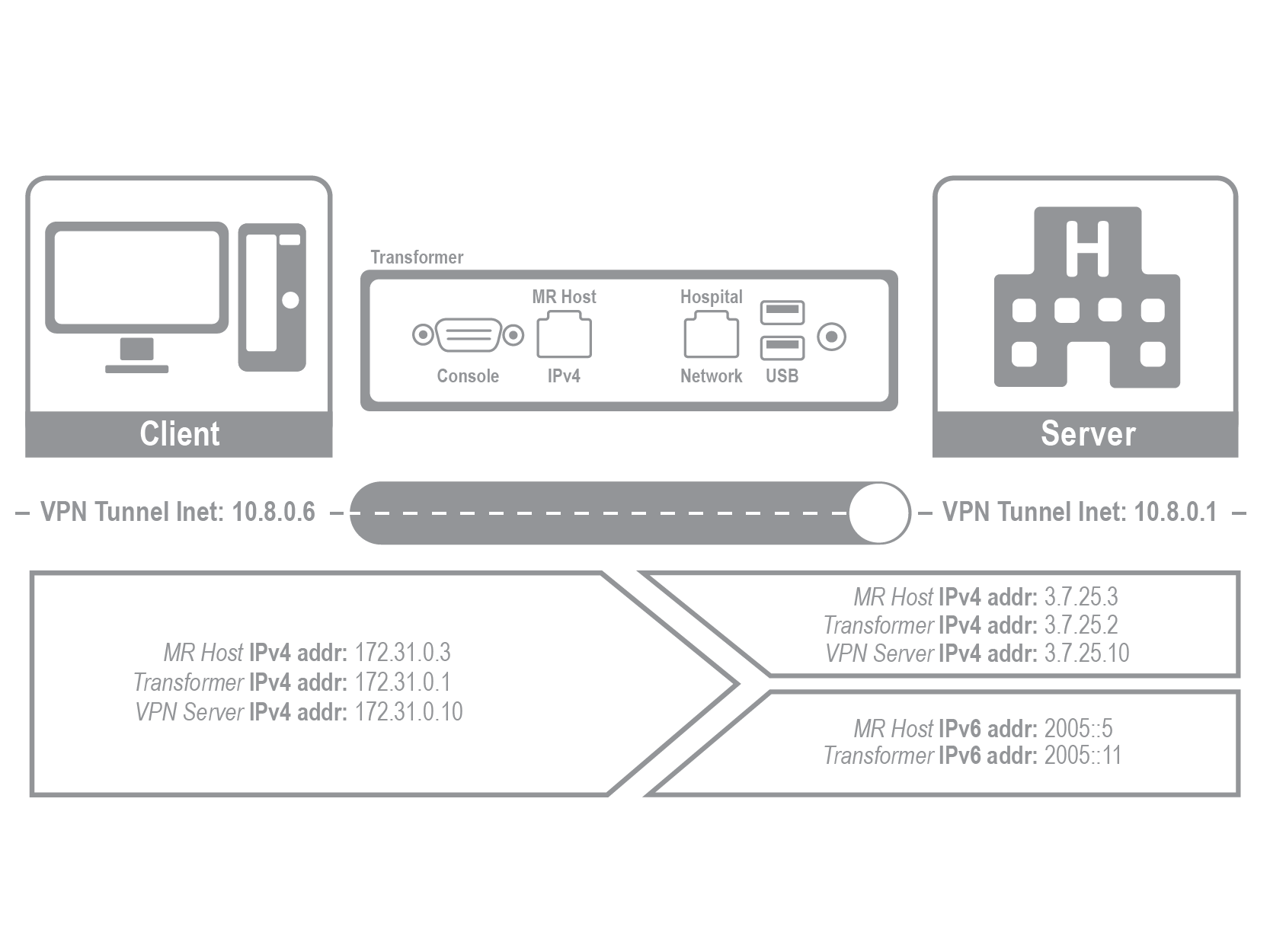
Note: The MR Host as VPN Client over IPv6 is not a supported architecture. Supported architectures include MR Host as VPN Client over IPv4, MR Host as VPN Server over IPv6, and MR Host as VPN Server over IPv4.
Site IT admin responsibilities
Procedure
- Define all IPv4/IPv6/VPN/Port/AE parameters
- Define all usernames, passwords and roles
- Define the MR Host Server/Client role
- Setup the site VPN Server/Client and Remote log file Server/Client
- Prepare Antivirus update on USB, set up schedule
- Once this information is available the GEHC FE can work with the site IT Admin for the Antivirus, IPv4/IPv6, VPN, and remote logging configuration
GEHC FE responsibilities
Procedure
- LFC without Restrictive Service SW
- Install Antivirus software
- Install the IPv4/IPv6 box
- Install the VPN Software
- Assist the site IT Admin for the configuration and update
- Assist the Site IT Admin on the MR Host Client/Server Configuration per the service procedure
- Ping the remote server, DICOM Sent/Retrieve to/from PACS. Ensure the set up works
- Troubleshoot the IPv4/IPv6 Box per the service procedure when needed