
- SIGNA™ Hero 3.0T Service Methods
- 5852800-8EN Revision 1.0
- 00000018WIA307EEE20GYZ
- id_131063854.3
- Jul 14, 2021 12:43:36 PM
Front Endbell Removal
Prerequisites
| Required persons | Preliminary requirements | Procedure | Finalization |
|---|---|---|---|
| 2 | 0 minutes | 30 minutes | 0 minutes |
Procedure
- Remove front bridge.
- Note: It’s possible to remove front endbell without removing front bridge. If you do not need to remove the body coil or VRMw, skip this step.Remove screws. (Front 4 screws, rear two screws)
- Remove the rear bridge cover. Remove the four screws attaching from the rear bridge to the front bridge.
- Withdraw the front bridge.
Figure 1. Front bridge 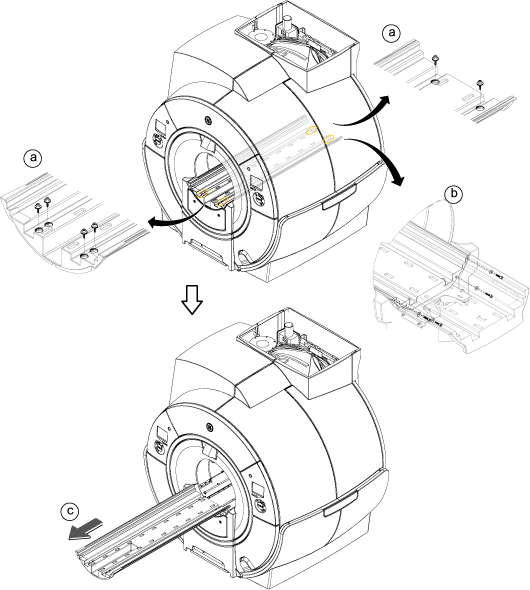
- Remove front trim rings by removing poppers.
Figure 2. Front trim rings 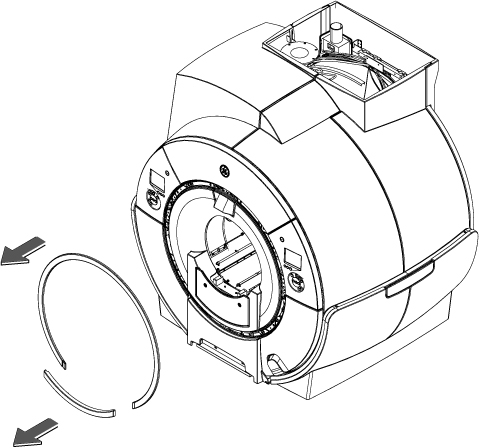
-
- Remove alignment light cover by removing two screws and two poppers.
- Remove two screws, unhook two bottom hook, and remove the dock interface cover.
Figure 3. Alignment light cover 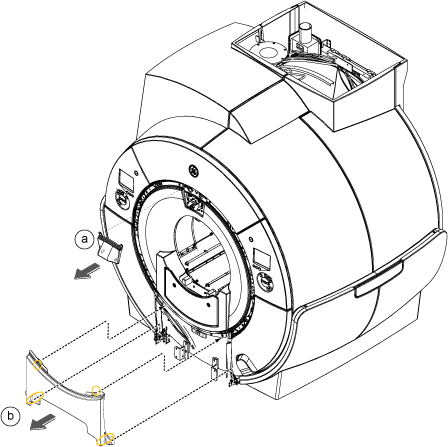
- Remove 2 screws and remove bridge cover.
Figure 4. Bridge cover 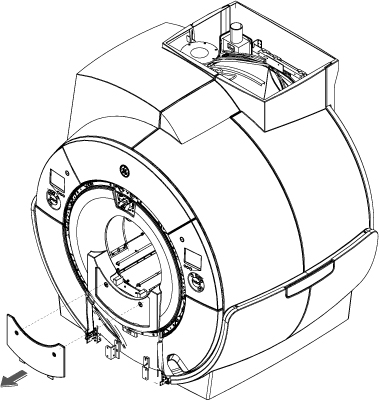
- Remove 8 screws and remove front endbell.
Figure 5. Front endbell 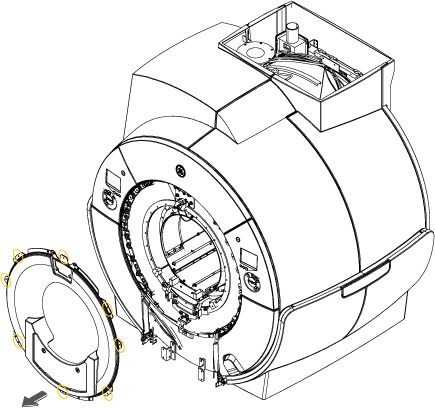 Note: Installation is reverse order of the removal. When restoring the front endbell, align the front endbell inner bore edge with the body coil inner bore.
-
Carry the front endbell by one hand and align it’s inner bore edge with body coil inner bore.
-
Fix the top screw of the front endbell. Then, fix the rest of the screws.
Figure 6. Alignment 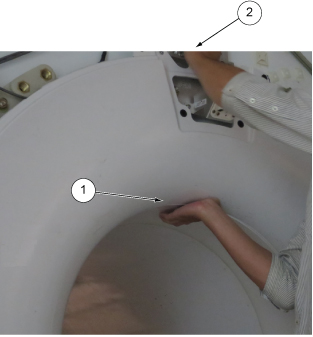
-
Finalization
No finalization steps.