Insert the 5 kW element into the Forward sensor port, (blue
4300A374-6). Make sure the arrow on the element points in the direction
of the arrow (from Input to Output) on the sensor. Lock the element
in place using the locking tab on the sensor.
Figure 1. RF Coupler Setup for Head Mode
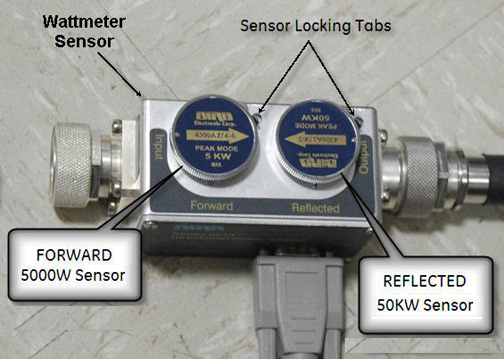
Insert the 50 kW element into the Reflected sensor port (blue
4300A374-3). Make sure the arrows on the elements point in opposite
directions. Lock the element in place using the locking tab on the
sensor.
The Reflected port is not used during this procedure. Placing
the 50 kW element into the Reflected port is a safety measure.
Use the DVM to measure the resistance of input to the dummy
load. Confirm that the resistance measures 50 ohms +/- 5 ohms.
Note:
If the dummy load is out of specification, return the
RF kit for repair. Do NOT proceed with the RF amplifier output calibration.
Topic ID: id_SL13643181-1274801
Wattmeter and Dummy Load Setup for Head Mode
Procedure
Verify that the scanner is idle. Confirm that the RF ENB switch
on the DTX1 exciter is in the Disable (down) position.
Setup the hardware per following steps.
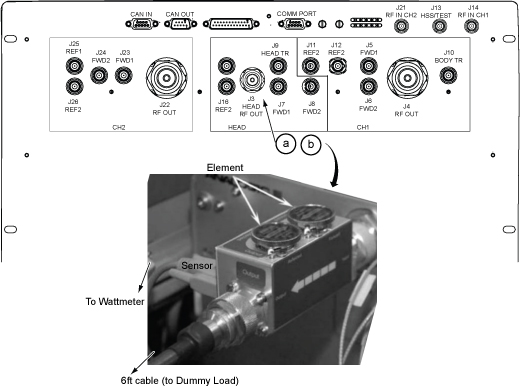
Disconnect the head output cable from J3 on the front of the
RF amplifier.
Connect the input of the coupler to J3 on the RF amplifier.
Figure 2. Connection of RF Coupler to Head Output
Warning
Electric shock risk!
Failure to connect the dummy load correctly could result
in electric shock.
pay close attention to the connections to the dummy load.
Connect the RF coupler output to the dummy load.
Figure 3. Complete Head Output Test Setup
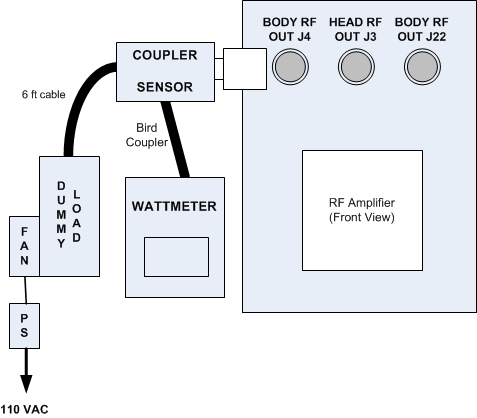
Plug in the wattmeter to use wall power (batteries are often
not charged). Connect one end of the wattmeter cable to the wattmeter
sensor output connector (RS232 is unused). Connect the other end to
the coupler.
Plug the fan for the dummy load into a service outlet in the
ISC. Never use this dummy load without its
fan running.
Notice
Do not apply RF power to the dummy load without its fan in operation. Doing so will result in catastrophic damage to the dummy load due to overheating.
Set the RF ENB switch to ENABLE (up).
Topic ID: id_SL13643182-1274801
Setting up Bird 5000-XT Wattmeter to Measure Forward Head Maximum
Power
About this task
This procedure is for the Bird 5000-XT.
Procedure
Press the OK button on the wattmeter.
Press MENU. Press ▼ to SCALE
MENU, and then press OK.
Type 5000 to set the range, and then press OK.
Check the setting by pressing ▼ to SCALE MENU, and then press OK.
Press OK to exit. Press ◄ to return to
measurement mode.
Press ▲ to make sure the scale reads W (or uW or kW on some wattmeters). If
the scale reads dBm, press ▲ again to toggle
the scale to read W (or uW or kW) on the TOP, forward power scale. Ignore
the BOTTOM, reflected power scale value. It is not used during maximum
power calibration.
Press MENU.
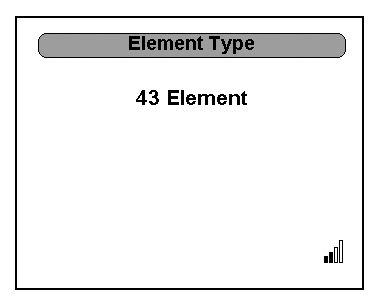
Press ▼ to select ELEMENT TYPE. Press OK.
This action displays the sensor type configured in the wattmeter.
This procedure uses sensor type 43, which is optimized for peak power
measurement.
Verify that the wattmeter display reads 43. If not, type 43 and then press OK.
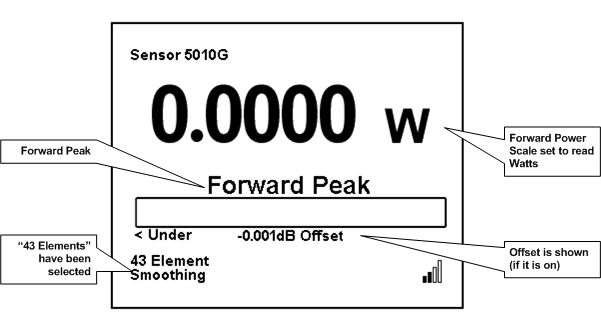
Figure 4. Wattmeter Display Set to Read
Press OK. Press ◄ to return to measurement
mode.
Press ► button repeatedly to change the unit of measurement
to Forward Peak.
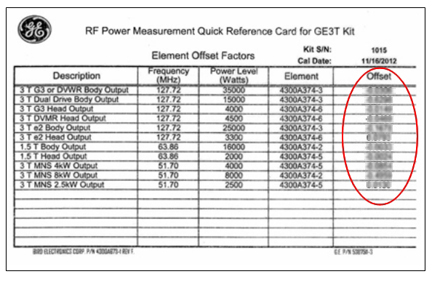
Some kits require an offset to ensure accurate measurement.
Locate the Element Offset Factors card in the kit.
Find the offset for “3T DVMR Head Output”,
“4500 W”.
Figure 5. Example Element Offset Factors Card
Press MENU on the wattmeter. With OFFSET
selected, press OK. Enter the numerical value
from the offset card and press OK. (The wattmeter
rounds the number to three significant digits.) Press ◄ to return
to measurement mode.
Note:
If entering a negative value, first enter the numerical
value, then the minus symbol (–).
Press MENU. Press ▼ until SMOOTHING is selected, and then press OK.
Press ▼ until 4 Samples is displayed, and
then press OK.
To verify that the SMOOTHING has been set, press ▼ until SMOOTHING is selected, and then press OK.
The wattmeter should read 4 Samples. Press OK.
Press ◄ to return to measurement mode.
Figure 6. Wattmeter Set to Display Peak Power and Watts