
- SIGNA™ Hero 3.0T Service Methods
- 5852800-8EN Revision 1.0
- 00000018WIA30FA9230GYZ
- id_156674573.2
- Dec 20, 2021 4:55:09 PM
Doing the Patient Handling Power Supply (PHPS) board level diagnostic
The Patient Handling Power Supply (PHPS) board level diagnostic obtains status information on the ongoing board diagnostic of the internal power supplies.
Diagnostic path
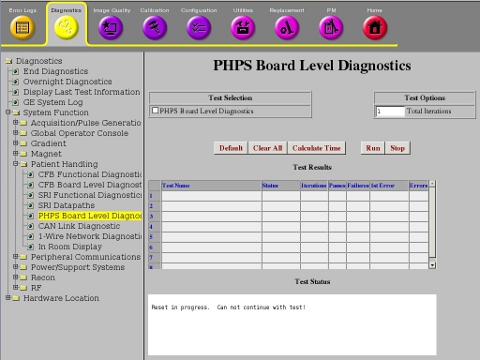
Purpose
The PHPS board level diagnostic obtains status information on the ongoing board diagnostic of the internal power supplies.
Components tested
- PHPS
Requirements
- 1–wire bus
Test sequence
- Click Calculate Time for an estimate of the time it will take to run the selected diagnostics.
- Click Run to initiate test.
Results
Diagnostic results display a status of Pass or Fail. If you receive a Fail status, click GE System Log to view the error message. The system log records errors with the date, time, the process tested, and a detailed error message.