
- Discovery MR750 3.0T System Service Methods
- 5690009-2EN Revision 4
- 00000018WHA300EFBGYZ
- id_20023345.0
- Jul 10, 2019 2:40:05 PM
Invoking Guided Install as root
Prerequisites
Procedure
Invoke Guided Install as root.
- When you power up the host computer and see the logon screen, click on root login.
Figure 1. Logon screen 
- Type the user name: root and type the root password.
Figure 2. Welcome logon screen 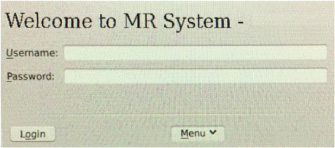 Note: It is possible that the customer changed the default password. If you cannot log on , contact the customer for the correct password.
Result
Logging on as the root user automatically shows the Linux desktop and launches the Guided Install Starter window.