Load the BrainWave application when installing third-party software.
Prerequisites
| Personnel requirements |
|---|
| Required persons | Preliminary requirements | Procedure | Finalization |
|---|
| 1 | - | 15 minutes | - |
| Tools and test equipment |
|---|
| Item | Quantity | Part number | Manufacturer |
|---|
| BrainWave software DVD | 1 | - | - |
About this task
BrainWave should always be installed when loading third-party software.Procedure
- Go to the tab.
Figure 1. Guided install UI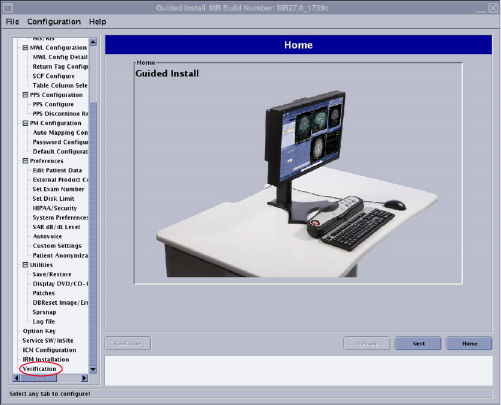
- Insert the BrainWave software DVD. Wait until the blinking LED goes off.
- Click Install Software.
Figure 2. Guided install UI - install software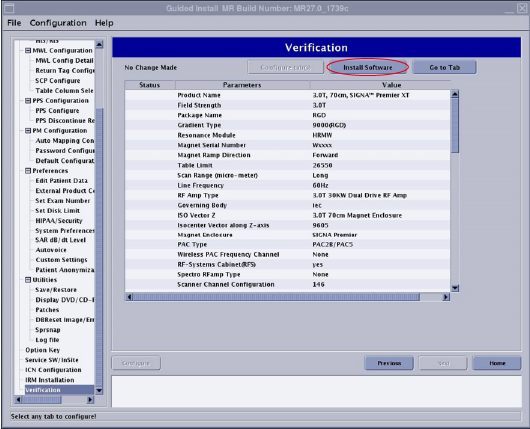
- Reboot the system.
