SRI (Scan Room Interface) Replacement (Mobile Site)
Prerequisites
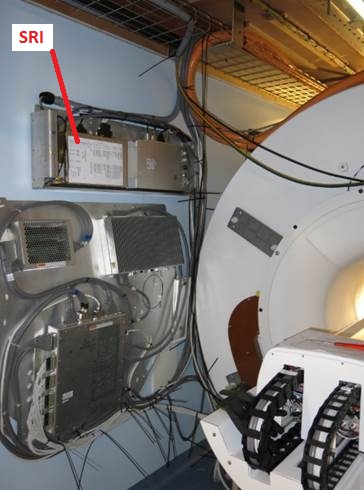
The SRI Assembly is located on the wall.
Figure 1. SRI Location
1 Removal of SRI (Mobile Site)
Procedure
- Remove Cover.
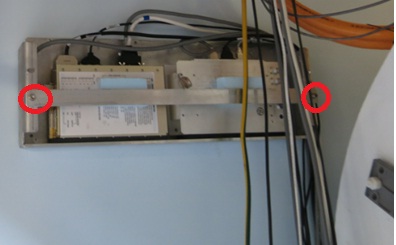
- Remove front bracket with 2 screws.
Figure 2. Remove the bracket
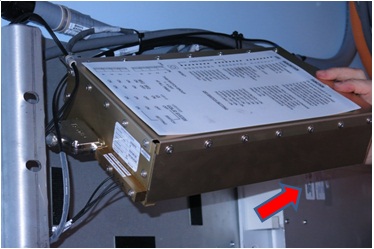
- Pull out to loosen from PAC/SRI tray.
Figure 3. Pull out to loosen from PAC/SRI tray
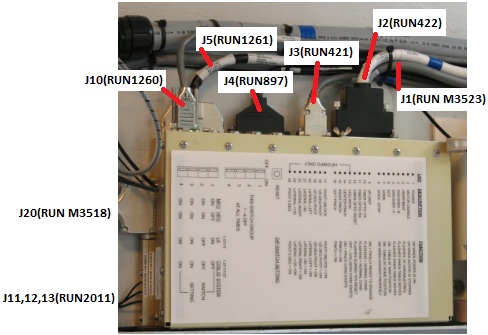
- Disconnect the all cables attached to the SRI.
Figure 4. Disconnect Cable
- Remove SRI
2 Install new SRI (Mobile Site)
Procedure
- Place new SRI on tray.
- Connect the all cables.
- Fix the cables with tie-wraps.
- Fasten it with belt.
3 Finalization
Procedure
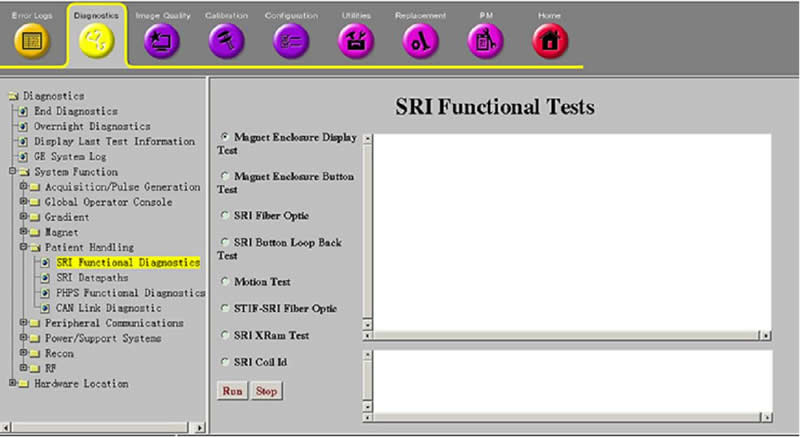
- Perform SRI functional Check.
- Open Common Service Desktop.
- Select 'Diagnostics / System Function / Patient Handling / SRI Functional Check'.
- Perform each test and verify that the each function works ok.
Figure 5. SRI Functional Check
- Perform Signal to Noise - Head Scan.