SPT Stability Viewer
Prerequisites
Overview
Starting SPT Stability Viewer
Procedure
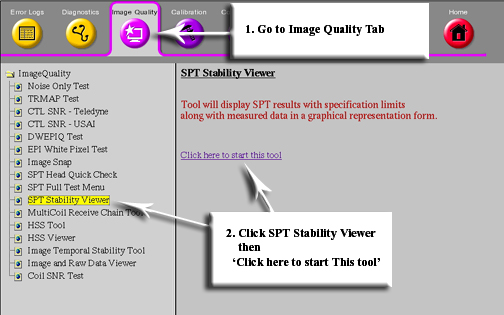
- From Common Service Desktop (CSD) select Image quality, then SPT Stability
viewer, Figure 1.
Figure 1. Starting SPT Stability Viewer
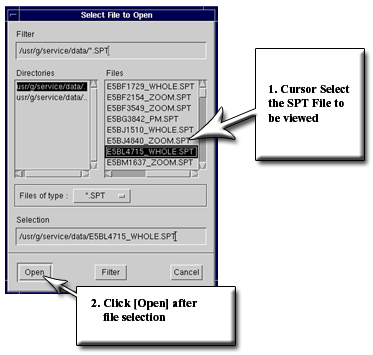
- Select the SPT pass that you want to analyze, then select open, Figure 2.
Figure 2. Selecting File to View
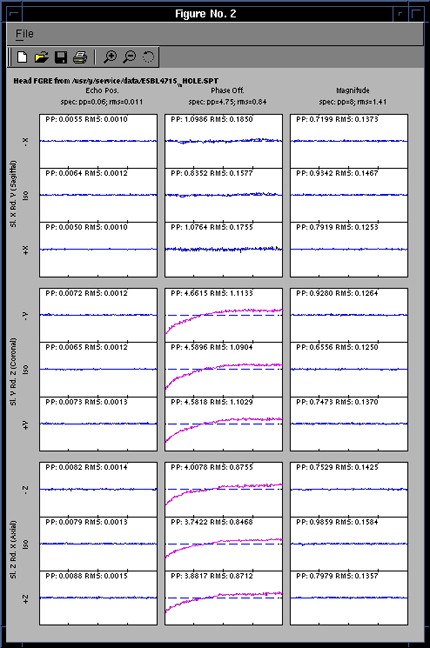
- At this time all stability plots for the selected SPT run will be displayed, Figure 3.
Figure 3. SPT Output
Finalization
No finalization steps.