SAVE INFO.
Prerequisites
Procedure
- Insert CD or DVD Media.
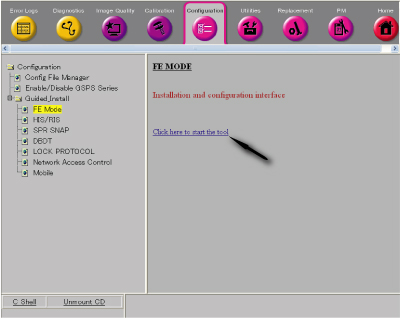
- Select 'Configuration/Guided Install/FE Mode' from Common Service Desktop. Then, click 'Click here to start the
tool'.
Figure 1.
- Enter 'operator' as password.
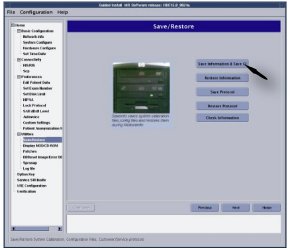
- Select Save/Restore from menu and click [Save Information & Save GI].
Figure 2. Save/Restore
- Remove the media from the Drive.
- Perform Verifying Save Restore Media.
Finalization
No finalization steps.