Respiratory Compensation Checks
Prerequisites
Procedure
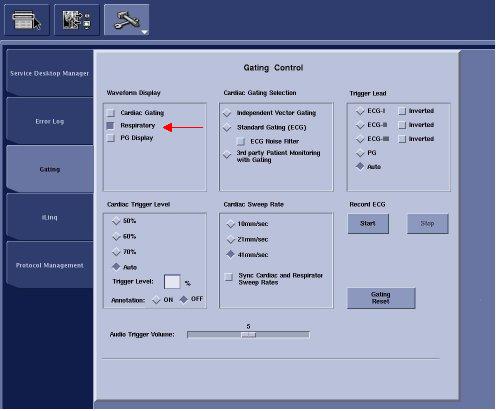
- At Operator Workspace, select Service Desktop and click on 'Gating' tab.
- Select 'Respiratory' check box.
Figure 1. Gating Control
- The respiratory waveforms window appears on the LCD Panel Display.
- Take the respiratory bellows in both hands and gently pull on either end to duplicate the motion of typical regular breathing.
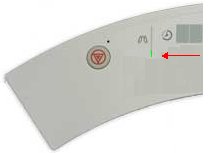
- Verify that the LED of Magnet Center Display move. If the bellows
and respiratory compensation software is working properly, the LED's
should follow the actions of the bellows.
Figure 2. Magnet Center Display
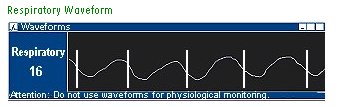
- Verify that the waveform appears on the window of LCD Panel
Display. If the bellows and respiratory compensation software is working
properly, the waveform should follow the actions of the bellows.
Figure 3. Respiratory Waveform
- If the LED or waveform does not work properly, proceed troubleshoot the bellows (for tears or holes), connections and then the PAC assembly is self for problems.
Finalization
- Restore the system to patient scanning condition.