Enclosure End Covers Removal
Prerequisites
Perform the following steps at the front of the magnet:
Procedure
- Undock patient table and move aside.
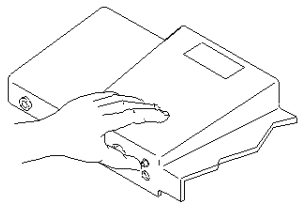
- While holding in the Patient Transport Dock Plunger (see Figure 1), move the carriage to the rear of the magnet
by pressing the IN FAST button on the magnet enclosure.
Figure 1. PRESSING PATIENT TRANSPORT DOCK PLUNGER
- Remove power to Dock and Long Drive Assemblies by switching off circuit
breaker MR1 A14 CB6 at rear of RF/Pen Cabinet (MR1) on Magnet Enclosure Power
Supply (MEPS) Module (see Figure 2).
Figure 2. LOCKOUT/TAGOUT
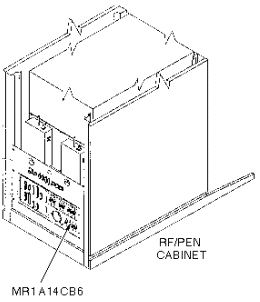
- Lock out and tag out circuit breaker MR1 A14 CB6 using appropriate OSHA procedure.
 caution
- Verify that voltage between MR1 A14 TP1 (+) and TP14 (-) is 0 Vdc.
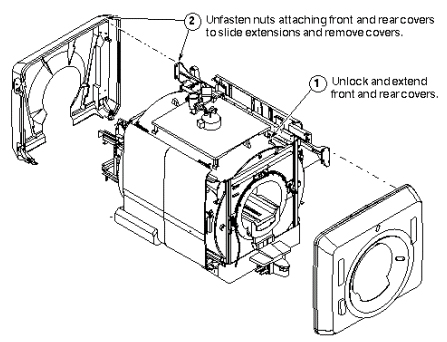
- For enclosure end cover removal, see Figure 3.
Figure 3. REMOVING ENCLOSURE END COVERS
 |
Finalization
No finalization steps.