DC Offset Calibration
Prerequisites
DC Offsets will need to be run during the initial system calibration, at the time of system upgrade or if the GP3 or Gradient Amplifier has been replaced.
Procedure
- Start the DC Offset Calibration Tool.
-
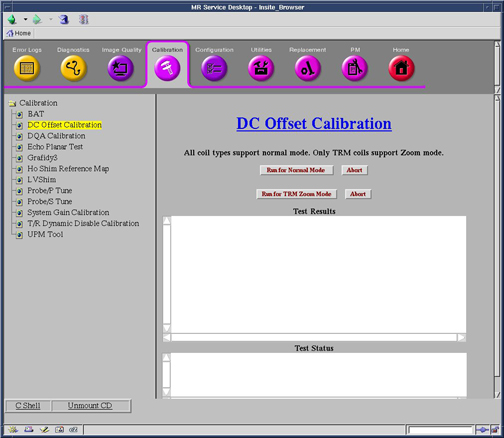
Starting non-proprietary service tools: From the Common Service Desktop, select Calibration, DC Offset Calibration from the calibration menu, and select Click here to start this tool to start the procedure.
Figure 1. DC Offset Calibration
-
- Select DC Offset Calibration, then Run
for Normal Mode or Run for TRM Zoom Mode.
You will need to run both modes if your system is a TwinSpeed.
Whole and Zoom will run and after completion results will display in the Test Results Box.
A report of “DC Offset calibration has been completed” signifies that the calibration is done. The calibration should only be run once for each mode (Whole or Zoom).
- The calibration values for Gradients are stored in /usr/g/caldir/gram_tune.dat.WHOLE for
Whole Body coil (or gram_tune.dat.ZOOM for Zoom coil)
file. For HFD the values are stored in /usr/g/caldir/gradient_tune.dat.WHOLE or /usr/g/caldir/gradient_tune.dat.ZOOM. (Do not touch the Offset pots on the SGA’s.)note:
The calibration values are relative to the site DC Offsets is run on and can vary greatly from site to site.
- Perform TPS Reset or end diagnostics.
Finalization
No finalization steps.