1.5T HD Knee Array Coil Setup and SNR Test
Prerequisites
Procedure
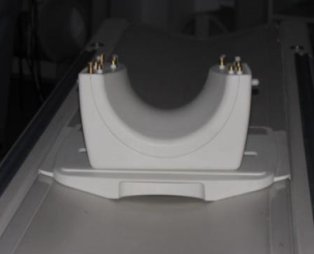
- Place the lower section of the coil on the patient table as
shown in Figure 1.
Figure 1. Place the lower section
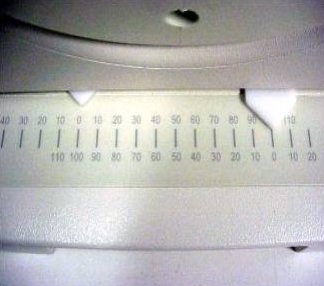
- Align the alignment mark on the coil to Zero position on the
scale as shown in Figure 2.
Figure 2. Align the alignment mark
- Place the large cylindrical unified phantom into the Positioner
as shown in Figure 3.
Figure 3. Place the large cylindrical unified phantom

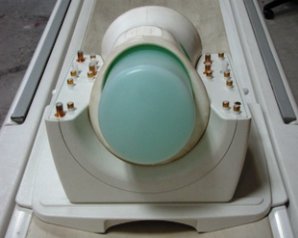
- Place this Phantom-positioner setup on the lower part of the
coil as shown in Figure 4.
Figure 4. Place this Phantom-positioner
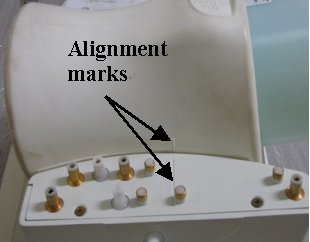
- Ensure that the phantom positioner is aligned with the posterior
coil section as indicated by the marks on the positioner and the coil
(Figure 5)
Figure 5. phantom positioner aligned
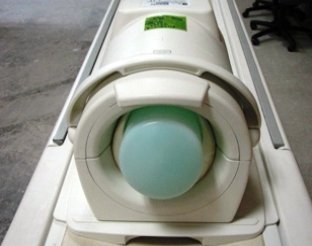
- Carefully align the connector pins on the lower part of the
Coil with the upper part of the coil and latch both the coil sections
into place as in Figure 6. (The scanner will not operate if the coil sections
are not latched correctly).
Figure 6. align the connector pins
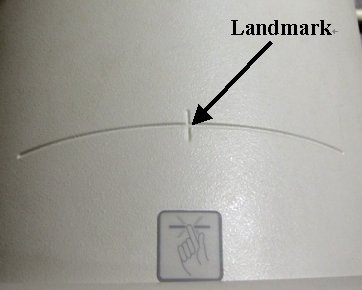
- Connect the coil to respective port of the system LPCA and Landmark
the coil at the cross mark available near the handle of the coil (Figure 7) and advance
to scan.
Figure 7. Land mark
- Perform the Multi-Coil Quality Assurance Tool.
Finalization
No finalization steps.