1.5T HD 8 Channel Wrist Array MCQA Test Setup
Prerequisites
Follow this process to prepare for the MCQA test using the 1.5T HD 8 Channel Wrist Array by Invivo.
Procedure
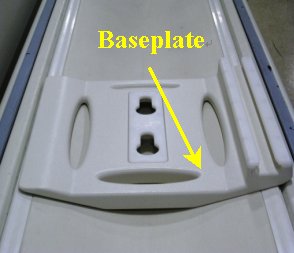
- Place the baseplate of Wrist coil on the patient table as shown
in Figure 1.
Figure 1. Base Plate
- Attach the baseplate riser to the baseplate as shown in the Figure 2. Baseplate
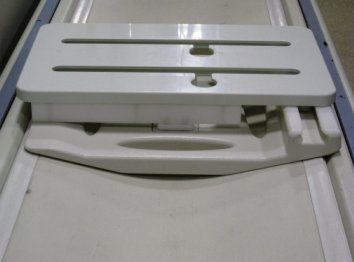
and the Baseplate riser in the locked position are shown in Figure 3.
Figure 2. Base Plate and Base Plate Riser 1
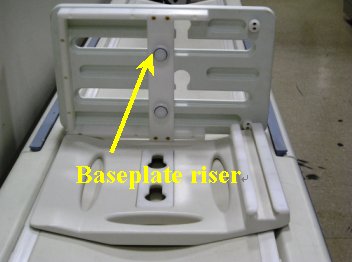
Figure 3. Base Plate and Base Plate Riser 2
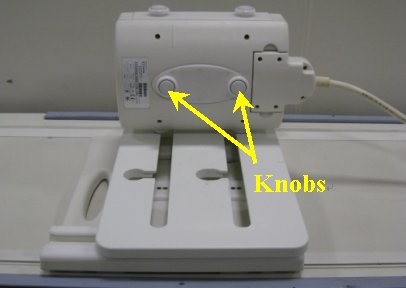
- Attach 1.5T HD 8Ch Wrist Array to the baseplate assembly using
the knobs is as shown in Figure 4. Slide the locked coil to centre and align properly.
Figure 4. Attach 1.5T HD 8Ch Wrist Array
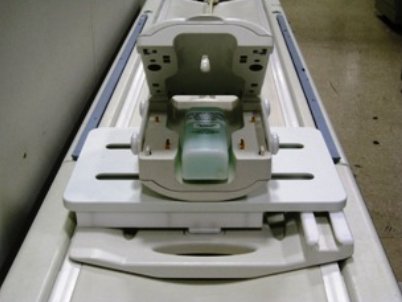
- Place the cubical unified phantom in the coil by lifting the
upper portion of the coil as shown in the Figure 5. Close the
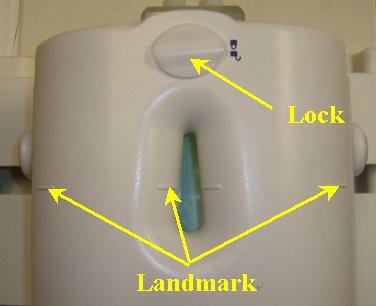
coil and lock it (lock in Figure 6.
Figure 5. Place the cubical unified phantom
- Connect the coil to respective port of the LPCA and landmark
the coil at the marks shown using arrows as shown in Figure 6 and advance
to scan.
Figure 6. Lock and landmark
- Click here to go to the MCQA Test
Finalization
No finalization steps.