1.5T Breast Array Installation
Prerequisites
Follow this process to install the 1.5T HD Vibrant Bilateral Breast Array by GE/USAI (M3087JG).
Procedure
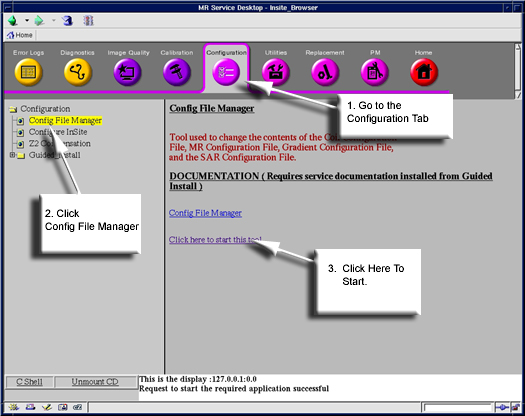
- Go to the Service Desktop and start the Service Desktop Browser if it's not already running.
- Follow the steps shown in Figure 1.
Figure 1. Starting the Config. File Manager
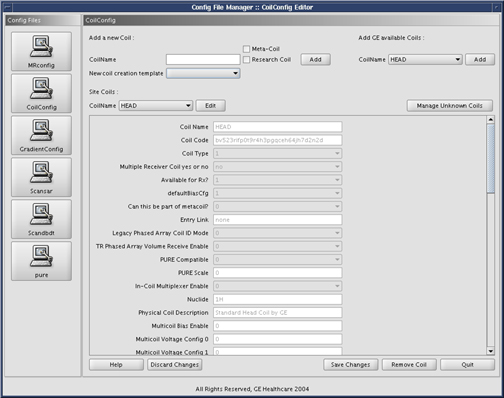
- Click the CoilConfig button on the left.
The following screen will appear, see Figure 2.
Figure 2. CoilConfig Screen
- For HDx, HDxt, and HDe, add the following coil name(s) to the
list of site coils:
-
HDBreast
-
HDBreastRight
-
HDBreastLeft
-
HDBreastServ
-
HDBreastRtServ
-
HDBreastLtServ
-
- Once the coils have been added click the Save Changes button to save changes made.
- Restart the system.
- Add coil part number into the GIB (Product Locator).
Finalization
No finalization steps.