VRF Status Display
1 Diagnostic Link
Diagnostics >> System Function >> Recon >> VRF Status Display
Diagnostics >> Hardware Location >> System Cabinet >> Recon >> VRF Status Display
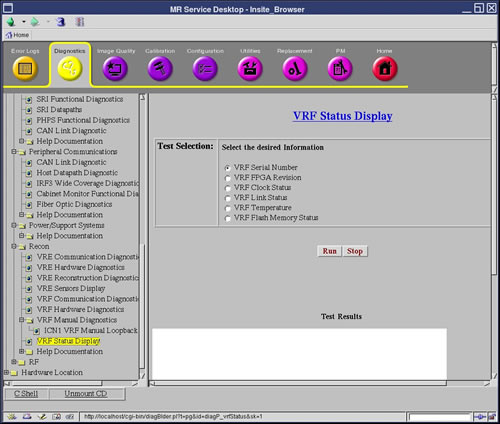
Figure 1. VRF Status Display
2 Purpose
The purpose of the VRF Status Display diagnostic is to display the internal status of the VRF. This is not a test. This diagnostic can be used for further debugging if the VRF hardware or communication diagnostics fail.
3 Components Tested
-
VRF serial number
-
FPGA firmware version and temperatures
-
Status of the VRF clock input, Flash memory, and VRF fiber links
4 Requirements
No special requirements.
5 Test Sequence
-
Select the VRF Status Display diagnostic.
-
Select the test you would like to conduct. You can only select one test at a time. This test is executed on all connected VRFs.
Your test options are:
-
VRF Serial Number
-
VRF FPGA Revision
-
VRF Clock Status
-
VRF Link Status
-
VRF Temperature
-
VRF Flash Memory Status
-
-
Click Run.
-
Ensure that the VRF passes the diagnostic by reviewing the status in the Test Results section.
6 Expected Results
This diagnostic has either a pass or fail status. If the test you selected passes, the Test Results table displays the requested information. If the test fails, please review the error log and corresponding extended error messages for subsequent actions.