LCD Monitor Setting for NEC LCD 2490WUXi2
 |
|
1 LCD Monitor Input Priority Setting
-
See Figure 1 and Figure 2 for control locations and functions.
Figure 1. NEC LCD2490WUXi2 On View Controls
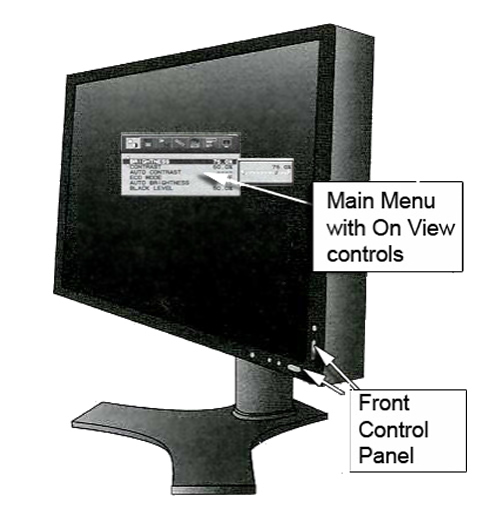
Figure 2. Control Panel
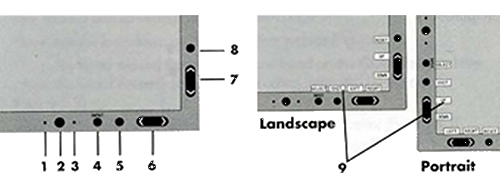
* The Left/Right and Up/Down buttons functionality is interchangeable depending on the orientation (landscape/portrait) of the OSD.
-
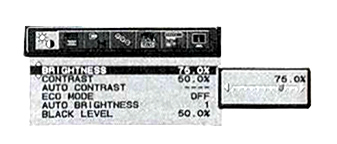
To display the Main Menu, press button either <5>, <6> or <7>.
Figure 3. Main Manual
-
Setup the LCD monitor Input Priority Select Input Priority by press <4> Input, set to DVI-D
2 Calibrate NEC Monitor (For LCD2490WUXi2)
Refer to Table 2for Monitor Settings.
3 Finalization
-
To save adjustments, press the [5] button.
-
To exit the menu, press the [5] button again.