ICN CPU Stress
1 Diagnostic Link
Diagnostics >> System Function >> Recon >> VRE Hardware Diagnostics
Diagnostics >> Hardware Location >> System Cabinet >> Recon >> VRE Hardware Diagnostics
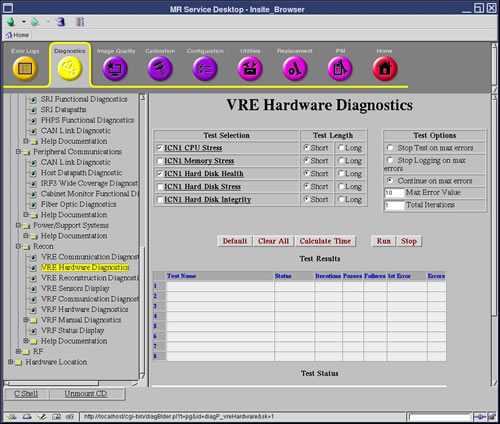
Figure 1. VRE Hardware Diagnostics
2 Purpose
The purpose of this diagnostic is to ensure that the ICN can withstand a CPU (Central Processing Unit) stress test.
3 Components Tested
ICN motherboard
4 Requirements
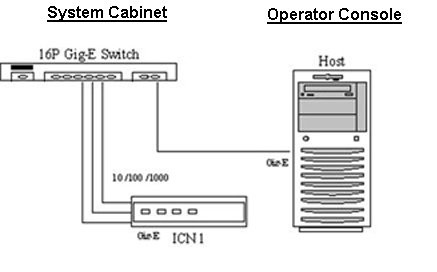
The ICN is turned on and has at least one network connection from the ICN motherboard Ethernet port to the Host.
5 Block Diagrams
Figure 2. System Cabinet and GOC Diagram
6 Test Sequence
-
Select the ICN CPU Stress diagnostic from the VRE Hardware Diagnostics screen.
-
Click Run.
note:Once you click Run, do not click anywhere else in the Common Service Desktop until the test is complete. If you need to abort the test prior to its completion, you must click Stop.
-
Ensure that the ICN passes the diagnostic by reviewing the status in the Test Results table.
7 Expected Results
This diagnostic has either a passed or failed status. If the diagnostic has failed, please review the error log and corresponding extended error messages for subsequent actions. Additional responses to the diagnostic's failed result are outlined in Table 1.