Guided Install Options
1 Under [System Configure]
Date Format Enter the date format to be used by the customer
Weight Unit Enter either Pounds or Kilograms
Keyboard Enter keyboard that is used for specific country
Language Enter language that will be used by customer
Video Card Not used at the introduction
Display type Enter the video mointor that will be used for the system
Enable HO Shim Must be No, as High Order Shim is not available
Legacy Image Type Should be set to [Yes]
2 Under [Hardware Configure]
Field Strength must be 1.5T
Package Name must be XFD SR120
Gradient type must be 8919(XFD)
Resonance Module must be BRM
Magnet Serial Number Enter actual magnet serial number, first letter is R
Table Limit is default, cannot change
Line Frequency Set to either 50 or 60 hz
RF Amp Type must be 1.5T SRFD3 RF amp
Governing Body Select proper governing body for the customer site; usually IEC (or other selection if required by local regulation). For Japan, select ‘MHLW-JIS’.
ISO Vector Z 9600 MR355/MR360 Magnet Enclosure
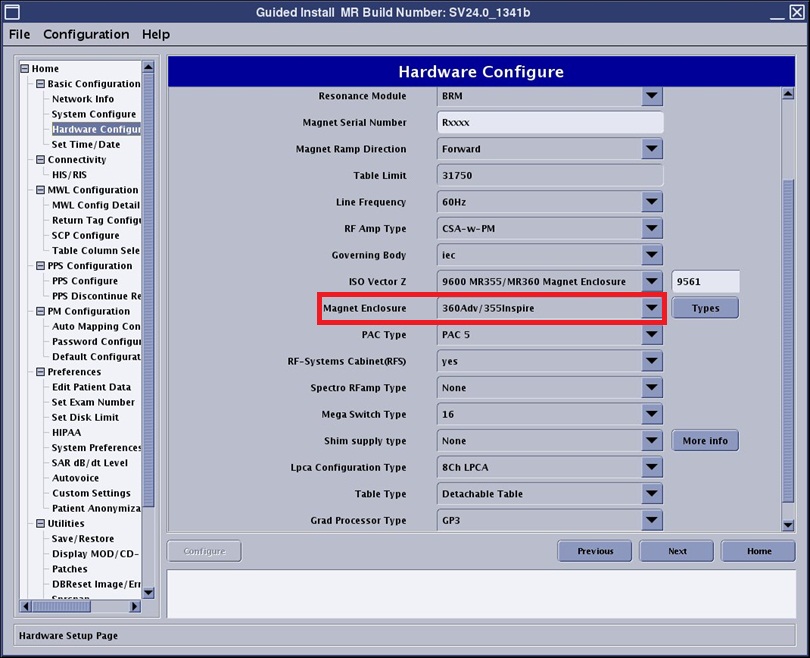
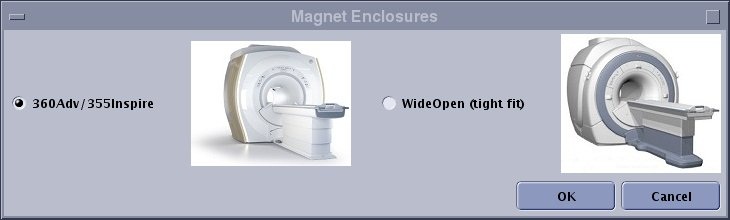
Magnet Enclosure
For software version before V04, must be “wide open (tight fit)”
Figure 1. Hardware Selection
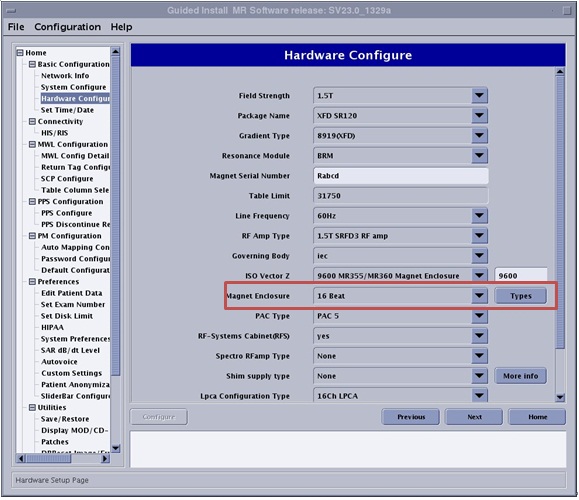
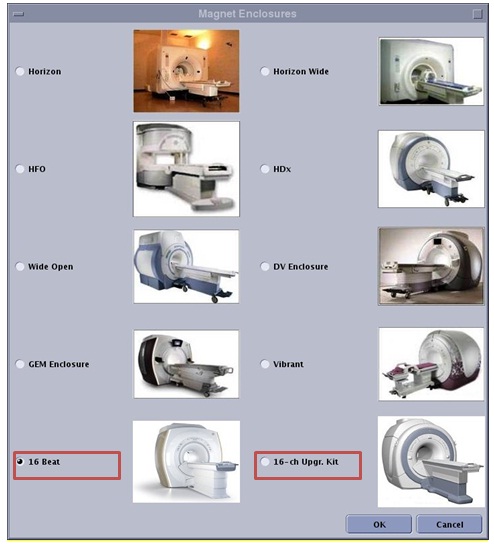
For software version is V05 and forward, shall select “360Adv/355Inspire” for whole system installation, or “WideOpen (tight fit)” for 8ch to 16ch upgrade system installation.
Figure 2. Hardware Selection
PAC type Select the proper PAC
RF-Systems Cabinet(RFS) Select YES
Spectro RF Amp type Select [none]
LPCA configuration type Select 8/16 ch LPCA