Error Number Decoder
The Error Number Decoder Tool lists the message text related to a specific error number.
-
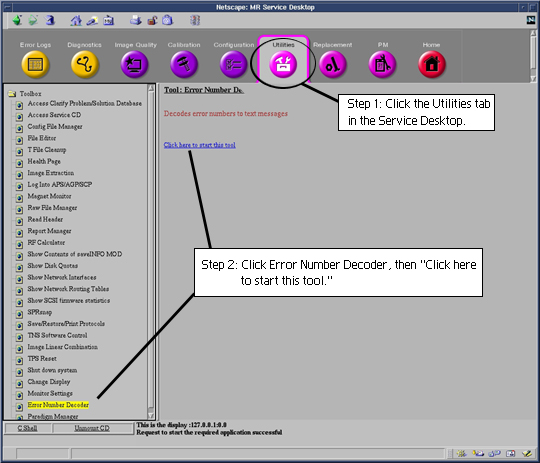
From the Service Desktop, select the Utilities tab, then Error Number Decoder, then Click here to start this tool. See Figure 1.
-
The Decoder tool starts in a window with the prompt “Please enter the error No. (s or q to quit).”
-
Enter the appropriate error number. The corresponding message text will then be displayed.
Figure 1. Service Desktop Window