Download new code to servo amp
1 Diagnostic Link
Diagnostics >> System Function >> Patient Handling >> PHPS Functional Diagnostic
Diagnostics >> Hardware Location >> System Cabinet >> PHPS Functional Diagnostic
Figure 1. PHPS Functional Diagnostic
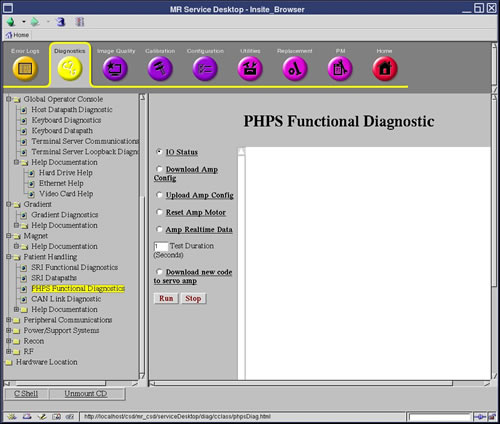
2 Purpose
This utility will download a new program version to the flash memory in the servo amp that moves the table top.
3 Components Tested
Not applicable.
4 Requirements
This function should not be used unless a new servo code file is released with a product update. When run, this function will download the file /usr/g/bin/junus_servoamp.cff to the servo amp.
Once the download process starts, the process must complete without errors before the servo amp will function again. If the download process fails, power-cycle the PHPS and try the download process again.
5 Block Diagram
None
6 Test Sequence
-
Select test.
-
Click [Run] .
7 Expected Results
Not applicable.
8 Etcetera
The servo amp is located inside of the Patient Handling Power Supply case. The servo amp is a blue box with JUNUS printed on it. The MGD chassis controls the PHPS through a CAN connection. The PHPS controller connects to the servo amp through an internal serial connection.
9 Links
None