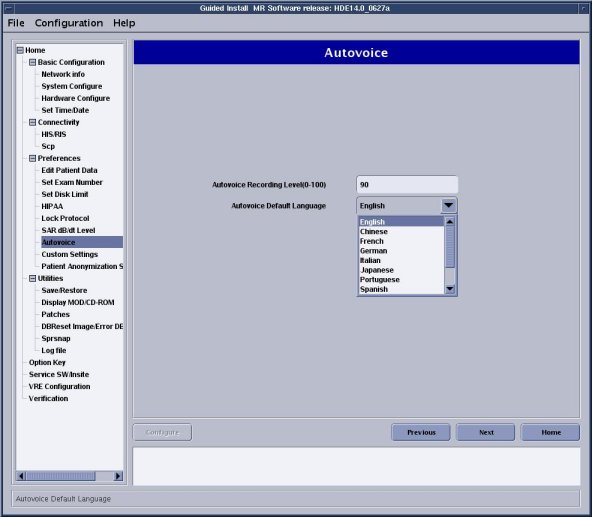
Auto Voice Language Selection
1 Overview
Auto Voice Language can be selected. Setup Autovoice Language according to the customer's request.
2 Auto Voice Language Selection Procedure
-
Go to the Service Desktop and start the Common Service Browser. Select [Configure tab] , then select Guided Install, [FE mode] . Then Click here to [start this tool] . The password is ‘operator’. Click ‘System Configure.
-
Select ‘Autovoice'.
-
. Select language from ‘Autovoice Default Language’ . Then, click [configure].
-
Select 'File/Quit' from top pull down menu.
Figure 1. Auto Voice Language Selection