Running LVShim - Gradshim for systems running DV26.0 or earlier
The objective is to complete fine tuning of the homogeneity of the magnet.
About this task
By default, gradshim is performed in auto mode, although manual mode is also available.
Notice
Perform a Localizer scan to verify that the phantom is centered before performing the LVShim.
To set up the phantoms and system for this procedure, follow the instructions and procedures.
Procedure
Make sure that all coils have been removed from the cradle and phantoms from the bore.
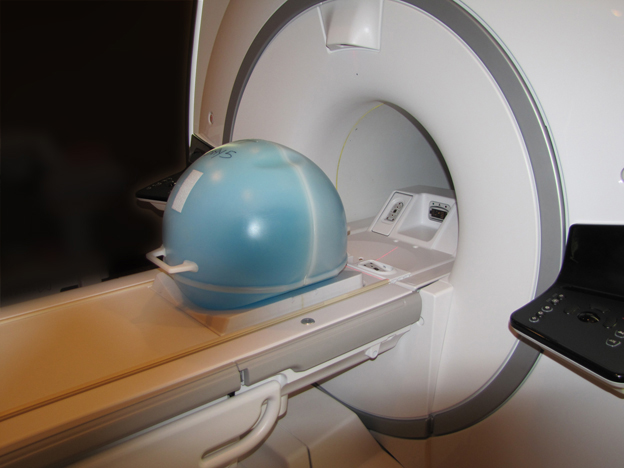
Place the LVShim phantom on the patient table.
Figure 1. Placing the LVShim phantom on the patient table
(For software version 26.0 or earlier) Set up and align the LVShim phantom. Align the phantom so that:
The phantom’s seam is oriented perpendicular to the table.
The phantom’s z-axis is along the length of the cradle.
The phantom is centered left to right with respect to the cradle top.
Landmark on the LVShim phantom crosshairs.
Note: The landmarking tolerances of the LVShim tool are: I/S: ± 3 mm, A/P: ± 30 mm, R/L: ± 5 mm. Ensure accuracy of the placement for landmarking.
Note: Due to the tight landmarking tolerance, it is important to align the lasers on the crosshairs of the LVShim phantom.
Note: Due to the tight landmarking tolerance, it is important to align the lasers on the cross lines of the universal positioner before setting the sphere.