
- Optima MR450w BASE 1.5T System Service Methods
- 5690012-2EN Revision 3
- 00000018WHA300EFBGYZ
- id_20023345.0
- Jul 10, 2019 2:40:05 PM
Invoking Guided Install as root
Prerequisites
Procedure
Invoke Guided Install as root.
- When you power up the host computer and see the login screen, click on root login.
Figure 1. Login screen 
- Type the user name: root and type the root password.
Figure 2. Welcome login screen 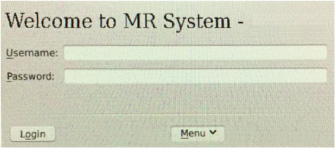 Note: It is possible that the customer changed the default password. If you cannot log in, contact the customer for the correct password.
Result
Logging in as the root user automatically displays the Linux desktop and launches the Guided Install Starter window.