- Topic ID: BJ_201210_N01
- Version: 2.0
- Date: Dec 29, 2020 1:00:18 AM
OS User Password
To improve the CT system information privacy and network security ability, CT system is enabled with the MC3 (MICT Common Cyber Content) function, which is to provide security access to software shell command, user account through password control process.
When CT application software starts, it pops up a window for password change request, CT software starting process will be pending here, you have to click X at the top-right corner to close this window for the software to continue booting up.
Figure 1. OS User Password Reset Window
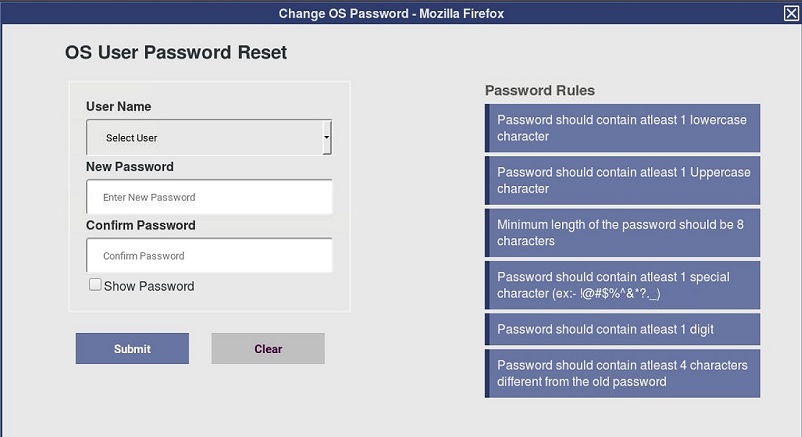
Please refer to Direction 5840902-1ZH-CN --- Privacy and Security Manual for detailed information about password change rule
If the password is changed, new password is needed when accessing related operation, such as shell, remote connection, etc.