- Topic ID: concept_dw3_4jd_z3b
- Version: 3.0
- Date: Dec 29, 2020 1:01:17 AM
Tube Usage Statistics
This procedure applies to systems with software version 19BW15.xx.
1 Introduction
The Common Service Desktop (CSD) is used to display information about both the currently installed tube and previously installed tubes.
To access tube usage records, under Error Log on the CSD, select Tube Usage Statistics. The Tube Usage viewer appears, providing the following three levels of viewing tube usage information:
- Summary
- Details
- Cumulative Statistics
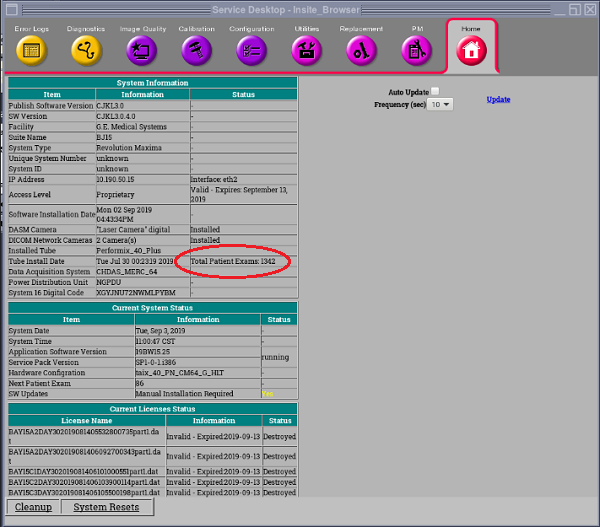
Figure 1. Total Patient Exams on Common Service Desktop [Home] Tab
2 Tube Usage Information
2.1 Tube Usage Initial Screen
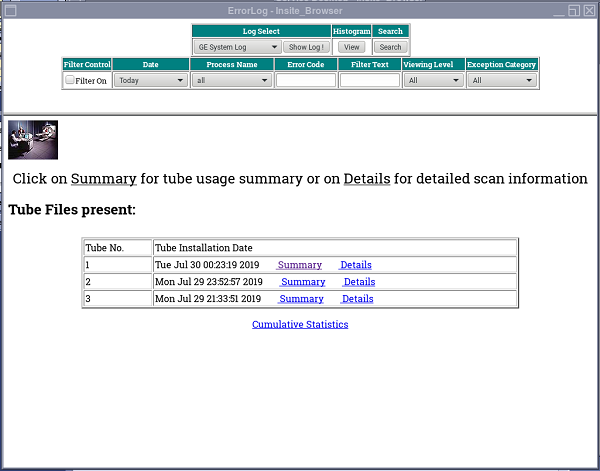
The Tube Usage Initial Screen allows you to select Summary, Details, or Cumulative Statistics subscreens. (See Figure 2.) The Tube Usage Initial Screen also lists any other system installed tubes by descending install date.
Figure 2. Tube Usage Initial Screen
2.2 Tube Usage Default Summary Screen
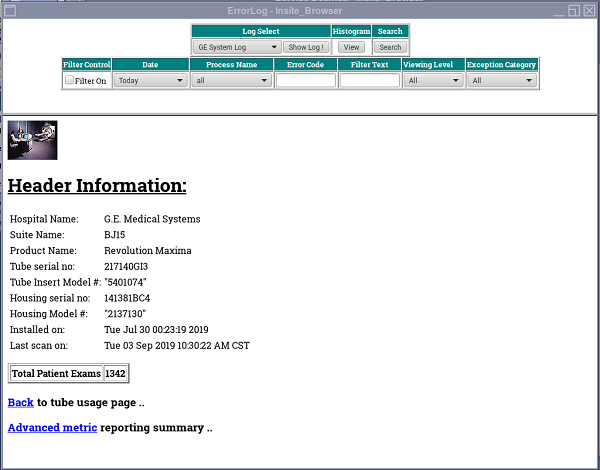
The Tube Usage Default Summary screen presents selected Tube Unit information, specifies Site information, and reports “Total Patient Scans” for the selected Tube Unit, as shown in Figure 3.
Figure 3. Tube Usage Default Summary Subscreen
2.3 Tube Usage Summary Advance Metric Screen
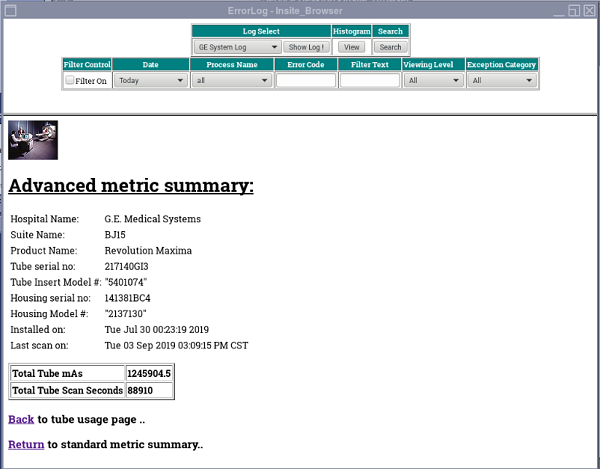
The Tube Usage Default Summary Screen includes a link to an Advance Metric subscreen. The Tube Usage Summary Advance Metric screen presents the same selected Tube Unit information and Site information, in addition to reporting “Total Tube mAs” and “Total Tube Scan Seconds” for the selected Tube Unit. (See Figure 4.)
Figure 4. Tube Usage Summary Advance Metric Screen
2.4 Tube Usage Default Details Screen
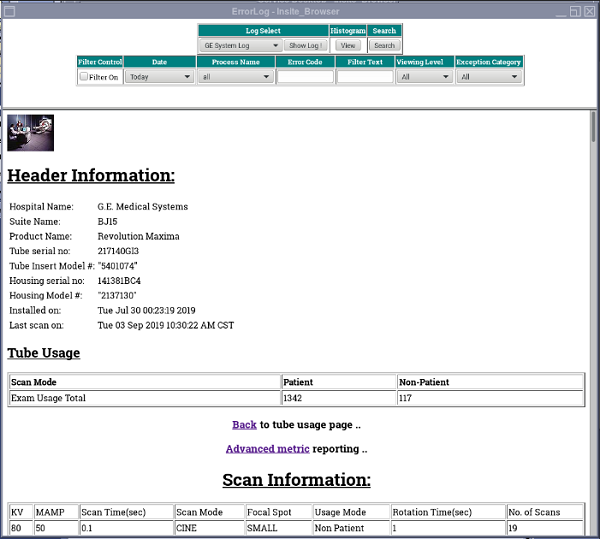
The Tube Usage Default Details screen presents selected Tube Unit information, specifies Site information and reports “Patient Exam Usage Total”, “Non-Patient Exam Usage Total” and Scan details for the selected Tube Unit, as shown in Figure 5.
Figure 5. Tube Usage Default Details Screen
2.5 Tube Usage Details Advance Metric Screen
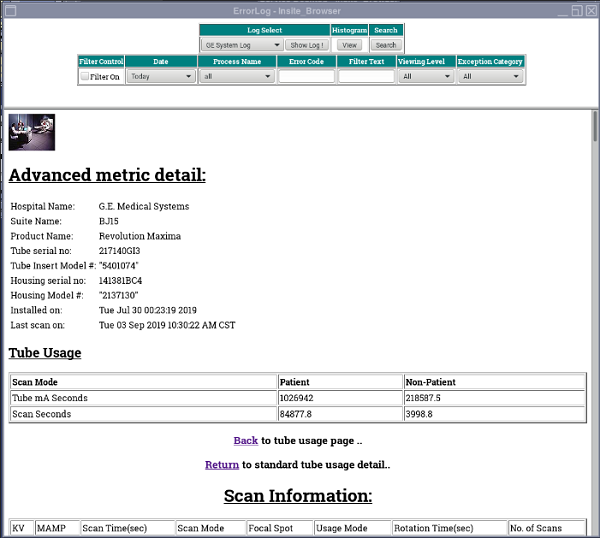
The Tube Usage Default Details Screen includes a link to an Advance Metric subscreen. The Tube Usage Details Advance Metric screen presents the same selected Tube Unit information and Site information, in addition to reporting “Patient Tube mA Seconds”, “Non-Patient Tube mA Seconds”, “Patient Scan Seconds”, “Non-Patient Scan Seconds” and scan details for the selected Tube Unit. (See Figure 6.)
Figure 6. Tube Usage Details Advance Metric Screen
2.6 Tube Usage Cumulative Statistics Screen
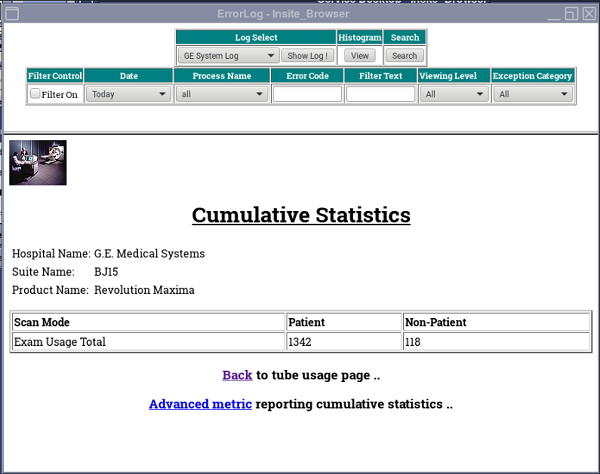
The Tube Usage Cumulative Statistics screen reports the “Patient Exam Usage Total” and “Non-Patient Exam Usage Total” for all tubes that have been installed on the system. (See Figure 7.)
Figure 7. Tube Usage Cumulative Statistics Screen
2.7 Tube Usage Cumulative Advance Metric Statistics Screen
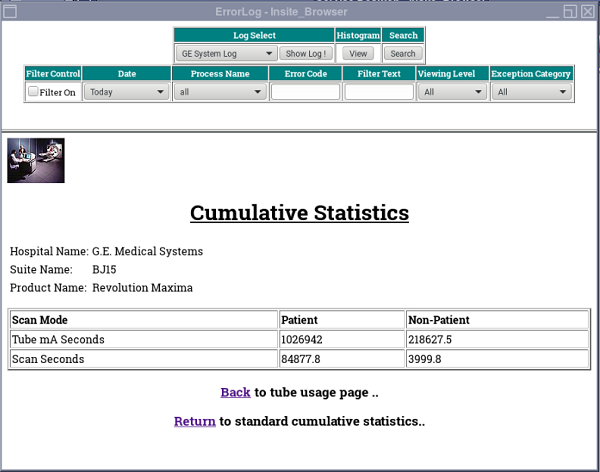
The Tube Usage Cumulative Statistics Screen includes a link to an Advanced Metric subscreen. The Tube Usage Cumulative Advance Metric screen reporting “Patient Tube mA Seconds”, “Non-Patient Tube mA Seconds”, “Patient Scan Seconds”, “Non-Patient Scan Seconds”. (See Figure 8)
Figure 8. Tube Usage Cumulative Advance Metric Statistics Screen
2.8 Software Health Page
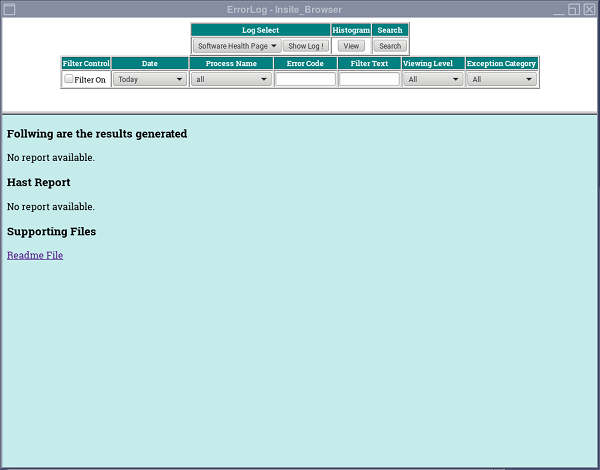
You can display the Software Health Page by selecting Software Health Pagefrom the Log Select menu and pressing Show Log. (See Figure 9)
Figure 9. Software Health Page Screen