- Topic ID: id_15460207
- Version: 6.0
- Date: Dec 28, 2021 10:04:23 PM
Collimator Functional Diagnostic Tests
Overview
This module explains how to run the “Collimator Functional” tests, which exercise the cams and filter motions and encoder responses.
1 Test Selection
- On the console select the DIAGNOSTICS tab in the Common Service Desktop.
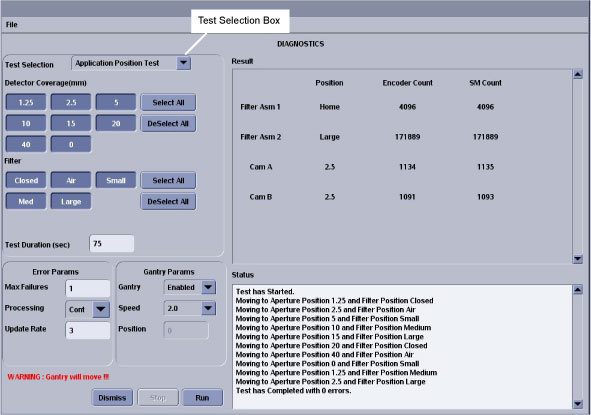
- Launch the COLLIMATOR FUNCTIONAL tool. Refer to Figure 1 for the layout of the tool interface.
- Select the functional test desired in the Test Selection drop-down
box indicated in Figure 1. The different tools are described in the following
sections.
Figure 1. Collimator Functional Application Position Test GUI
2 Collimator Application Position Test
This test positions the Cams and filter to the selected positions for the entered test duration. Refer to Figure 1for the layout of the tool interface.
- The test runs in continuous modes which help detect intermittent operating conditions.
- The test provides a means to visually validate the aperture and filter positions
- This test can be used to confirm the functional operation of the collimator.
- Look for highlighted fields that indicate the cam or filter did not make it to position.
- Check the log for additional information when this occurs.
- Watch for finger pinch hazards.
- Attempt to move the filter and/or cams, when test is complete, and verify motor has holding torque.
3 Collimator Continuous Filter Position Test
Figure 2. Collimator Functional Continuous Filter Position Test GUI
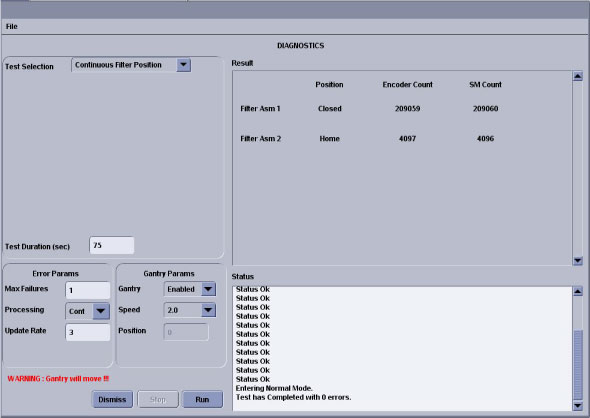
- This test will verify that no mechanical binding is present.
- The manual mode can be used for signal tracing.
- You check for motion when errors indicate no motion sensed.
If the display does not indicate changes in the encoder count, visually check the filter for motion:
- If filter is moving, failure is in the encode circuit
- If filter is not moving, failure is in the drive circuit.
- Watch for finger pinch hazards.
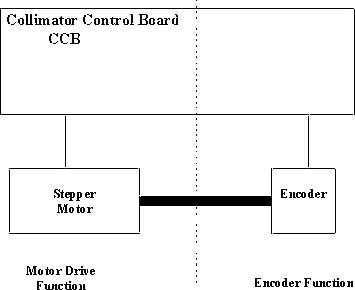
- The filter drive can be divided into two functions as shown
in Figure 3
Motor Drive (Positioning driver)
Encoder (Position feedback)
Figure 3. Collimator Filter Position
4 Collimator Encoder Test
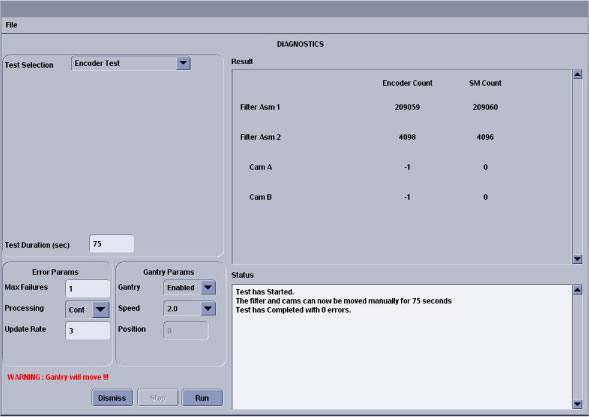
This test reads and displays the CAM and filter encoder counts while the devices are positioned by hand. Refer to Illustration 4 for the layout of the tool interface.
-
When (to use)
This test can confirm an encoder problem.
-
What (to look for)
Verify encoder reading changes once the cams or filters are moved.
-
Notes
-
Watch for finger pinch hazards.
-
The test reduces the cam holding torque to allow the cams to be rotated by hand.
-
Cams are 2000 counts per rotation.
-
Filter is 1000 counts per rotation.
-
If the cam encoder fails the whole collimator assembly should be replaced.
Figure 4. Collimator Functional Encoder Test GUI
-
5 Collimator Continuous CAM Rotation Test
Figure 5. Collimator Functional Continuous CAM Rotation GUI
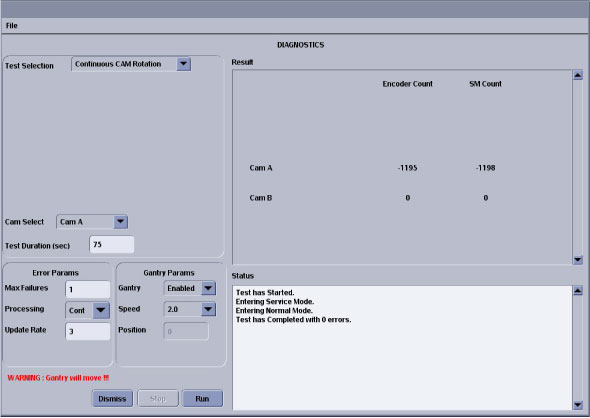
- This test can verify that no mechanical binding is present.
- The manual mode can be used for signal tracing.
- If the display does not indicate changes in the encoder count, visually check the CAM for motion.
- Listen for mechanical vibration or binding.
- Watch for finger pinch hazards.
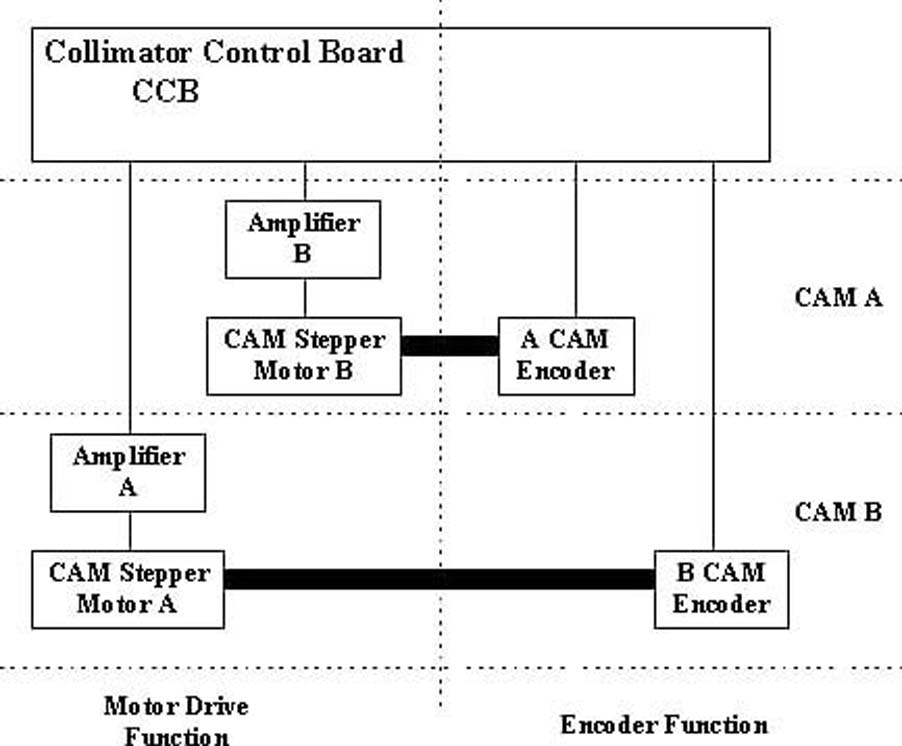
- CAM A and B circuitry is the same.
- CAM operation can be divided into two functions as shown in Figure 6:
Motor and drive
Encoder
Figure 6. Collimator CAM Rotation
6 Finalization
No finalization steps.