- Topic ID: concept_nhz_yx5_2pb
- Version: 2.0
- Date: Aug 10, 2021 9:55:28 PM
Manually Configuring System INFO (15BW21.x and 21BW02.x)
This procedures describes the steps necessary to manually configure System INFO.
-
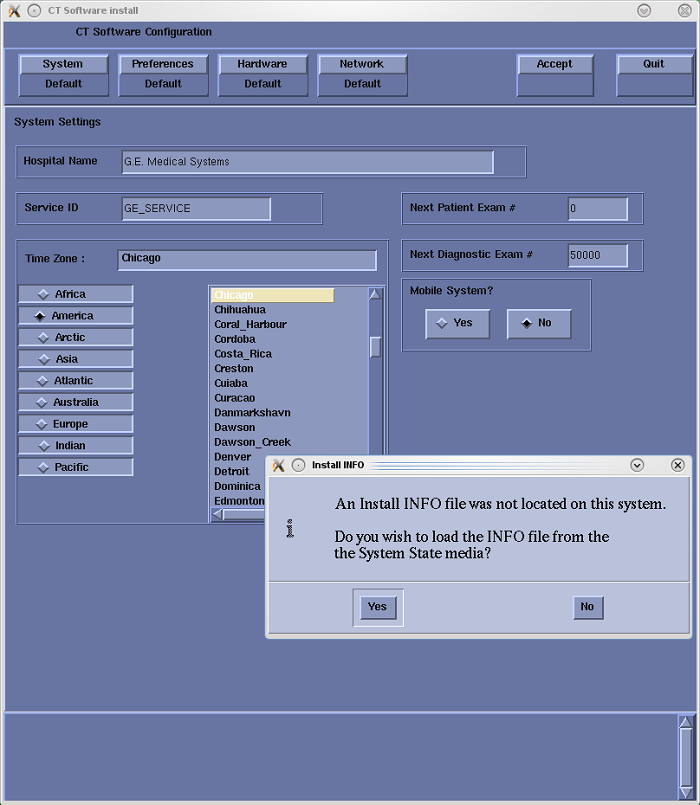
When the System State Install INFO decision box appears (Figure 1), click No. Then select: Hardware to access System and Console Type configuration.
Figure 1. Install INFO Decision Box
-
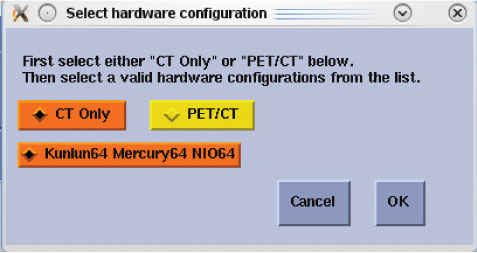
In the Hardware Configuration window, select the appropriate hardware configuration for the System, DAS and Console type. Click OK when done.
Figure 2. Hardware Configuration Window
-
Manually configure the Preference, Hardware, and Network Settings screens as required. refer to System Configuration - (15BW21.x and 21BW02.x)
-
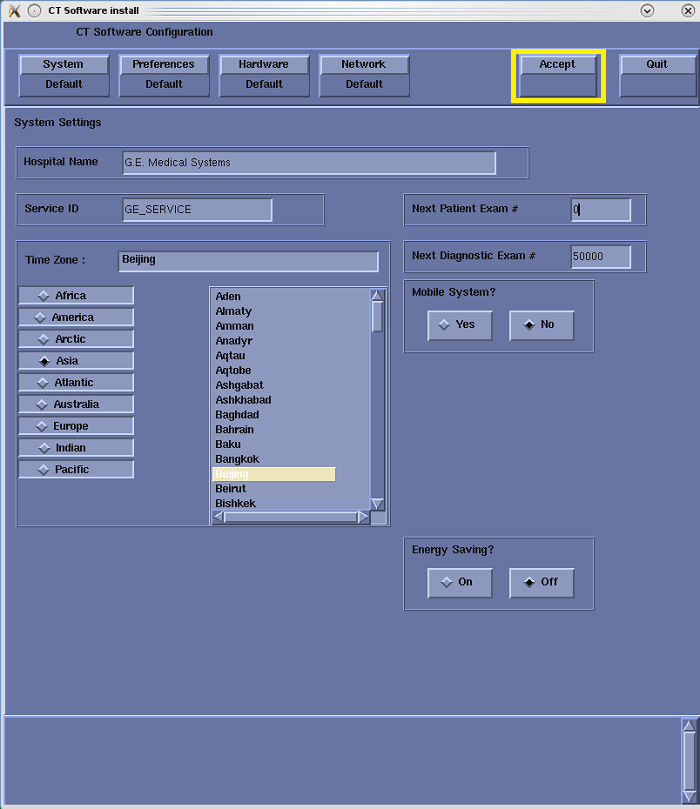
After manually configuring the system, click Accept and return to Applications Software Load, in the Load From Cold (LFC) procedure.
Figure 3. System Configuration Utility - Accept Window