- Topic ID: id_17479602
- Version: 1.0
- Date: Aug 28, 2018 3:56:03 PM
Heat Blower ASM Replacement
Prerequisites
Overview
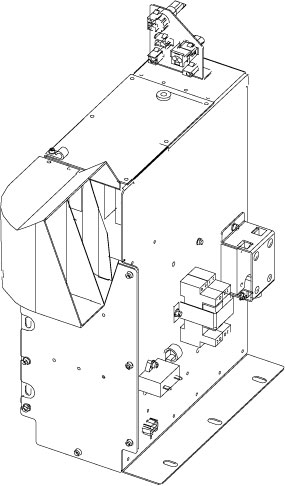
This procedure defines the replacement process for the gantry heat blower assembly.
Figure 1. Heat Blower ASM
Procedure
- Move the table cradle to the home position, and position the table to its lowest elevation.
- Remove the gantry right side cover and disable “Axial Drive”, "HVDC" and "120VAC" switches from the service switch panel.
- Remove the gantry left, top and front covers, refer to Replacement > Gantry > Enclosure > Cover Removal Procedure.
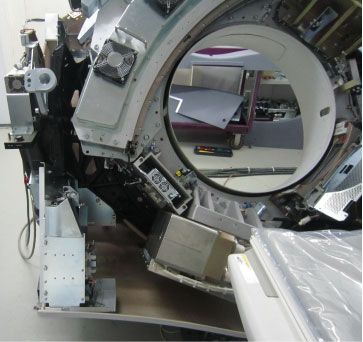
- Turn ON “120VAC” switch, rotate the gantry until
the tube reaches about 5 o’clock position.
Figure 2. 5 o’clock Position
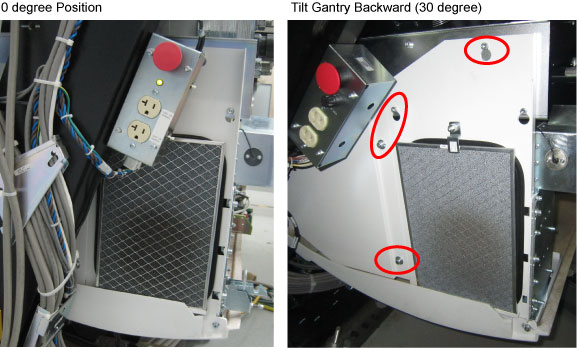
- Press and hold the backward tilt button
 from the gantry control panel, until tilt the gantry backward to
30 degrees. (See Figure 3)
from the gantry control panel, until tilt the gantry backward to
30 degrees. (See Figure 3)Figure 3. Screws for Heat Blower ASM
- Turn OFF “120VAC” switch.
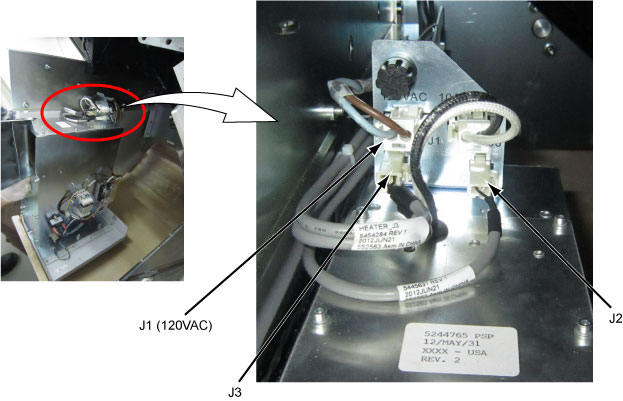
- Disconnect cable connectors J1, J2 and J3 from the heater blower
assembly.
Figure 4. Disconnect Cables
- Loosen two screws (Blue) and remove four screws (Red), then
lift the heat blower assembly and remove it with the blower tray from
the gantry.
Figure 5. Remove Heat Blower Assembly
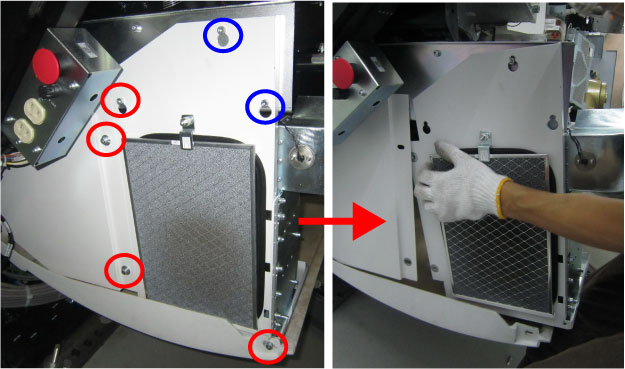
- Remove the blower tray by unscrewing its six M6 screws.
Figure 6. Blower Tray
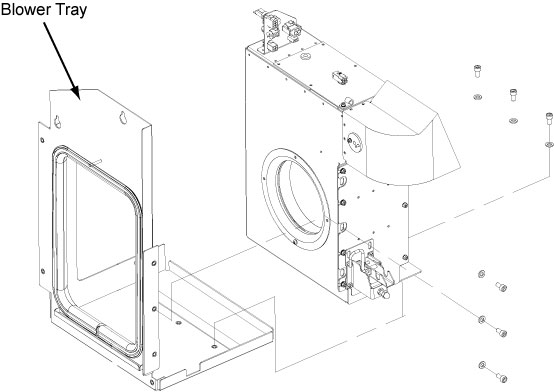
- Get the new heat blower assembly and assemble the blower tray to it. (Torque: 7.9N.m)
- Secure the gantry heat blower assembly to the gantry frame by screwing its screws which are unscrewed in Step 8. (Torque: 7.9N.m)
- Reconnect all cable connectors which are disconnected in Step 7.
- Restore power to the system.
- Verify that the heat blower assembly is operating normally.
- Restore the gantry to original configuration.
Finalization
No finalization steps.