- Topic ID: id_11038703
- Version: 3.0
- Date: Jun 10, 2020 2:25:06 AM
24V Power Supply Check
Prerequisites
Procedure
- Remove the gantry left side cover.
Figure 1. 24VDC Power Supply
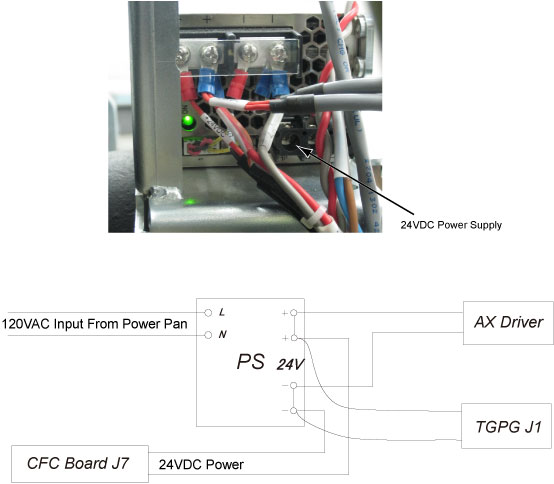
- Check DC power supply voltage (23.6V~24.8V).
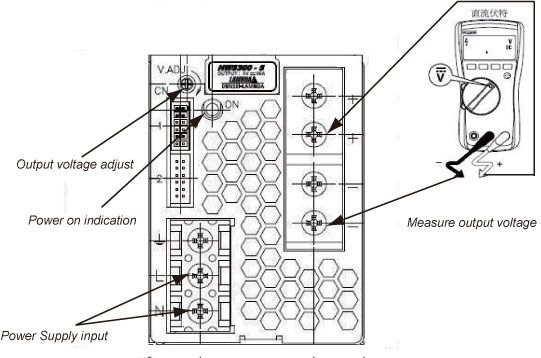
- Power on the power supply, if the power on indication light is lighted, it means this module is working, or else check the power supply input, make sure whether the 120VAC input has been connected. If the power on indication light can not be lighted, change another DC power supply module.
- Measure the output voltage, see whether it is within the specification,
or else adjust the V.ADJ nut until the output voltage is within the
specification. If the output voltage can not be adjusted to the specification,
please change another power supply module.
Figure 2. Check and Measure the 24VDC Power Supply
- Restore the gantry to original configuration.
Finalization
No finalization steps.