- Topic ID: id_16157439
- Version: 2.0
- Date: Jun 10, 2020 2:24:46 AM
20cm QA Phantom Image Series Verification Methods Selection
Prerequisites
Overview
20cm Quality Assurance Phantom image series verification.
Procedure
- From the Service desktop, click Image Quality - Image Analysis.
- Click the Auto 1x tool on the Image Analysis
screen, and select ImgSer20QA.
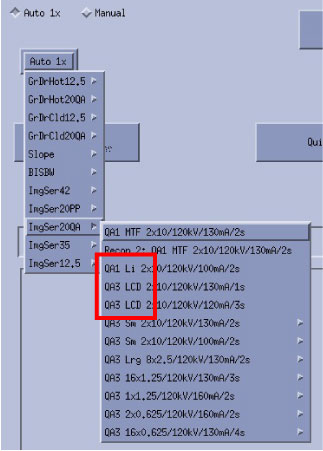
- If Scan Protocols show as Figure 1, please perform 20cm QA Phantom Image Series Verification (without QA2 Protocol).
Figure 1. Auto 1x without QA2 Protocol (example only)
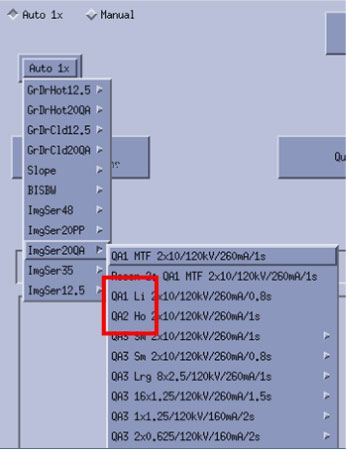
- If Scan Protocols show as Figure 2, please perform 20cm QA Phantom Image Series Verification (with QA2 Protocol).
Figure 2. Auto 1x with QA2 Protocol (example only)
- If Scan Protocols show as Figure 1, please perform 20cm QA Phantom Image Series Verification (without QA2 Protocol).
Finalization
No finalization steps.