- Topic ID: id_11038741
- Version: 2.0
- Date: Jan 30, 2019 9:43:10 PM
Clean Tube Heat Exchanger and Clean JEDI Inverter Fans
1 Clean Tube Heat Exchanger
-
Ensure that the Axial drive enable switch is turned OFF at the gantry service switch panel.
-
Rotate the gantry until the Tube Heat Exchanger assembly is within serviceable reach.
-
Engage the gantry rotation lock.
-
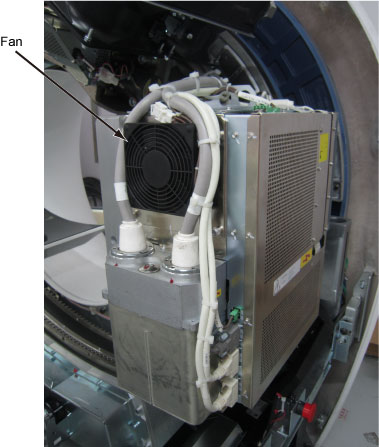
Inspect that the radiator fans for the X-ray tube cooler are operating normally, and not blocked with dust. Vacuum clean if necessary.
Figure 1. X-ray Tube Cooler
2 Check/Clean JEDI Inverter Fan
-
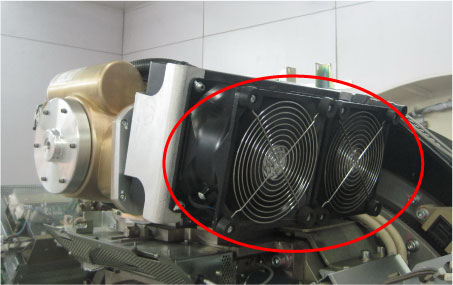
Inspect the inverter fans for accumulated dirt (see Figure 2).
-
Vacuum any dust that has accumulated on the inverter fan grills, if necessary.
Figure 2. JEDI Inverter Fans