- Topic ID: task_scl_nld_zhb
- Version: 4.0
- Date: Nov 8, 2021 5:12:30 AM
Z8G4 Scan Data SSD Module Replacement
Prerequisites
Overview
This procedure shall be followed when replacing the Scan Data SSD (Solid State Disk) Module in the Z8G4 computer.
Figure 1. Scan Data SSD Module
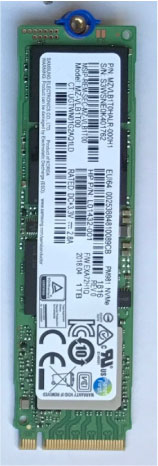
1 Scan Data SSD Module Replacement Preparation and Location
Procedure
- Select one of the following methods to Power OFF the Operator Console:
- If Applications are up, click on the [Shut Down] button and select [Shutdown].
The Operator Console monitor will display a 'Power Down' message when it is acceptable to power OFF the Operator Console.
- If Applications are down, open a Unix Shell. Type: halt.
- If Applications are up, click on the [Shut Down] button and select [Shutdown].
- Power OFF the console at the front panel switch.
- Apply LOTO. See Equipment Service - Lockout-Tagout-PPE
- Locate Scan Data SSD by referencing the Illustration below.
Figure 2. Scan Data SSD Location
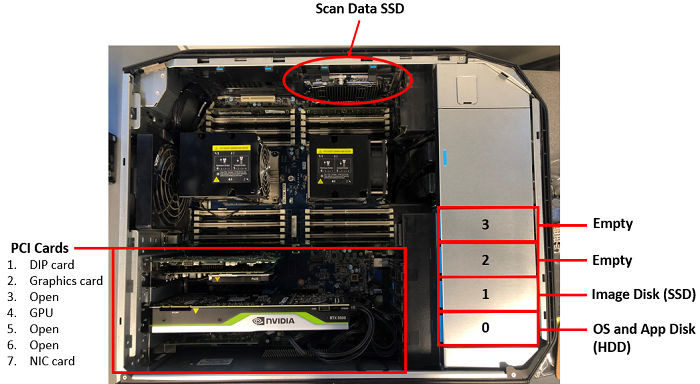
2 Scan Data SSD Removal
Procedure
- Open and remove the module small side cover.
Figure 3. Remove module small side cover
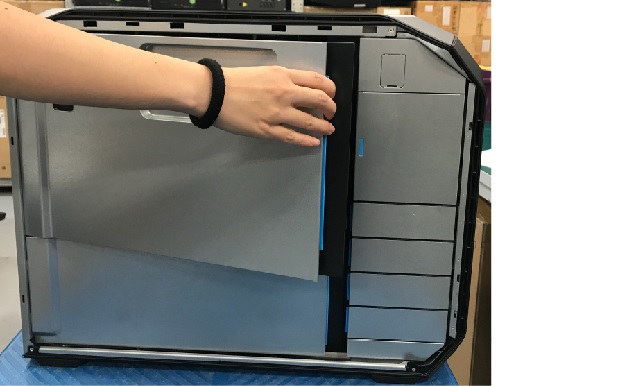
- Press down the latch, release the clamp and lift up the scan data SSD assembly from the slot carefully.
Figure 4. Scan Data SSD Removal
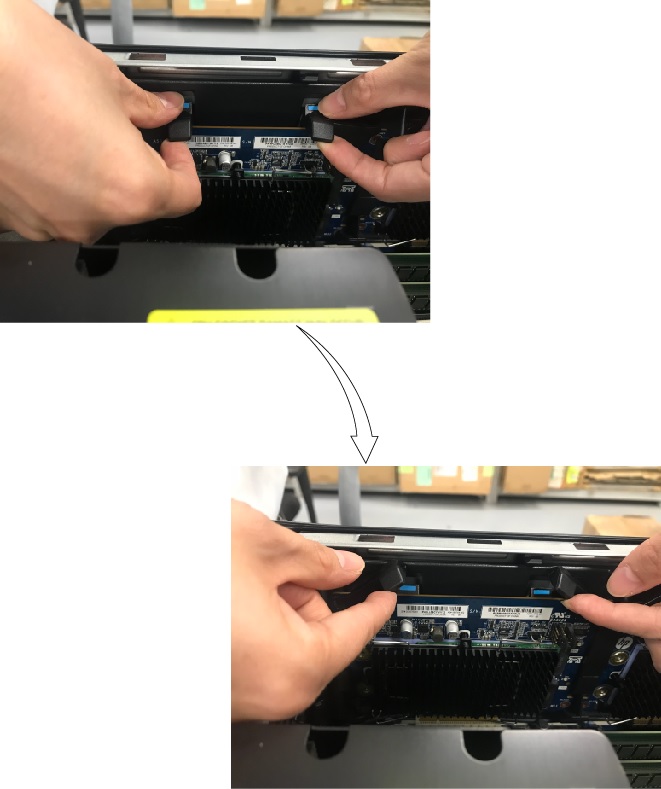
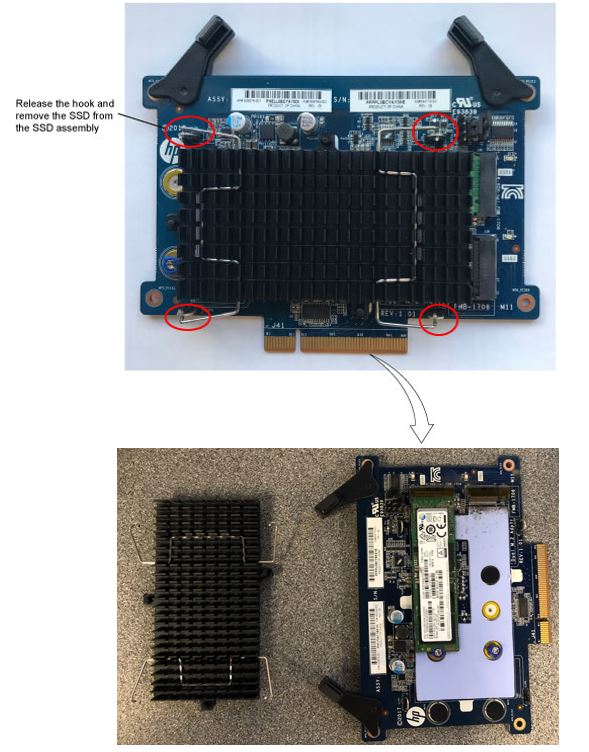
- Remove the SSD from the SSD assembly.
Figure 5. Remove SSD
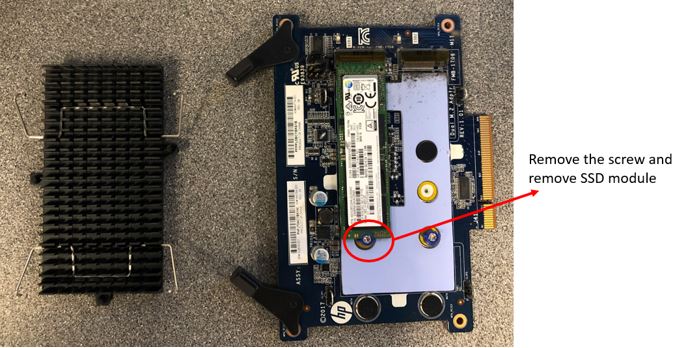
- Remove module from the SSD assembly by remove the screw.
Figure 6. Remove SSD module
3 Scan Data SSD Install
Procedure
- Install the new module in the SSD assembly and tighten the screw
- Install the SSD in the SSD assembly by tighten the hook
- Install the new Scan Data SSD, align the keyway with the slot key, and firmly seat the Scan Data SSD in the slot.
- Retention Clamp.
4 Finalization
Procedure
- Reinstall module small side cover.
- Power ON the operator console. Start up sequence stops before application start up.
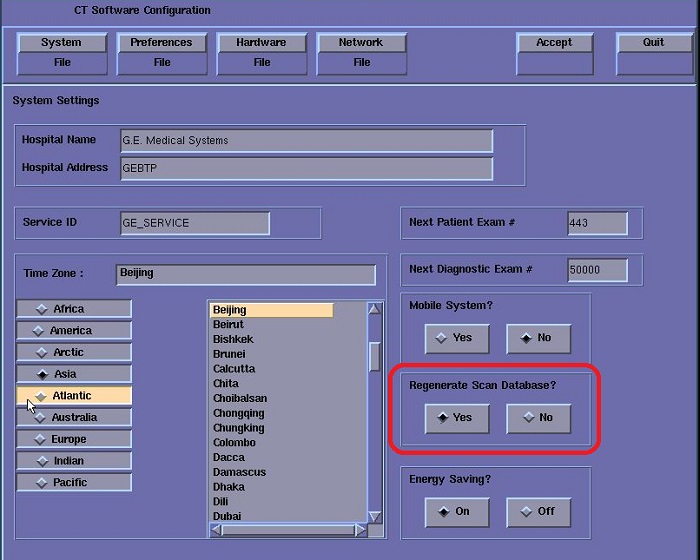
- Open a shell and logon root, enter into Reconfig to select Regenerate Scan Database with Yes, then click Accept.
- After restart, open shell window and type st to start up application.
- Refer to System Scanning Test to confirm proper operation.
- Remove LOTO on console.