- Topic ID: id_2030487
- Version: 2.0
- Date: Sep 13, 2021 2:15:11 AM
RESETTING AN APPLICATION NON-ADMINISTRATOR PASSWORDS
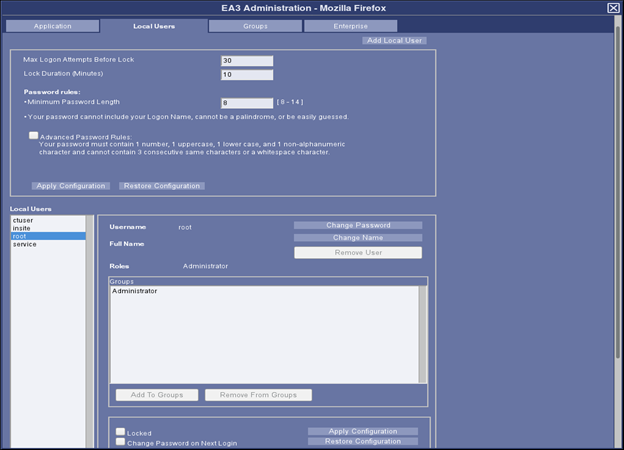
A user administrator can reset all users’ passwords without knowing old password using the EA3 administration GUI shown in the previous section. The first password that is set for non-admin user accounts should be temporary password. User Administrator should force the user to change the password on next successful login after account creation and the new password shall be compliant with rules.
Figure 1. EA3 Administration Page
Procedure
- Launch EA3 administration Page from System tools/Access Controls/User Admin Tool.
- Login as EA3 administrator.
- Choose the local user and select the Change password.
- Enter the new password twice and confirm change.
- It is recommended to select "Change Password on next login" checkbox.
- Click on Apply Configuration.