- Topic ID: id_2030483
- Version: 2.0
- Date: Sep 13, 2021 2:15:09 AM
RESET OS PASSWORD DURING APPLICATION BOOT UP
Procedure
- Following Reset OS Password GUI will be displayed during application startup and select one by one user from dropdown menu and need to change all default OS password.
Figure 1. Reset OS Password
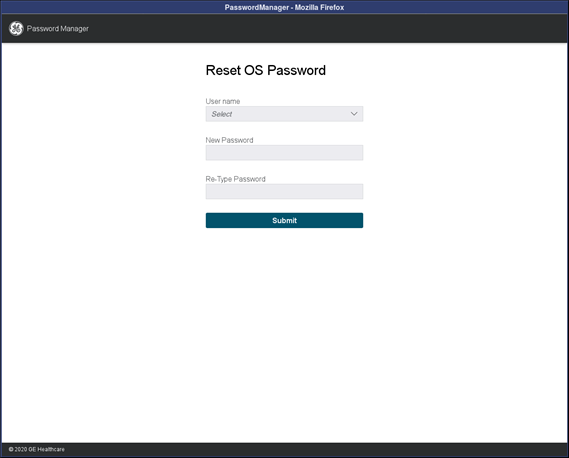
- Select the user account (admin, root, ctuser, insite) from User Name drop down.
- Enter the New Password that complies with rules defined in Password Strength Rules chapter in the New Password field and Retype New Password.
- Click Submit button. A message will be displayed to indicate Password Changed Successfully or why the password change was not accepted.note: That OS users passwords need to be change, otherwise Application will not start.
If new password does not meet the password strength rules, the system displays an error message and the password is not changed.