- Topic ID: id_16157661
- Version: 5.0
- Date: Jan 22, 2020 7:16:37 PM
Varian RGSC Option Installation
Prerequisites
Overview
This document defines how to install the Respiratory Gating for Scanner using the Varian gating system option (RGSC system E8819KL).
All the necessary gantry internal gating hardware and cabling has been installed at the factory to accommodate two gating system installation configurations:
Used with the following Gating Options:
-
Advantage 4D Respiratory Gating Option
-
Prospective Respiratory Gating Option
1 Getting Started
Procedure
- Verify that all of the following items are in the kit.
- If any of these items are missing, contact Varian at 1-888-VARIAN5.
- Please follow Varian RGSC Installation Manual to install hardware
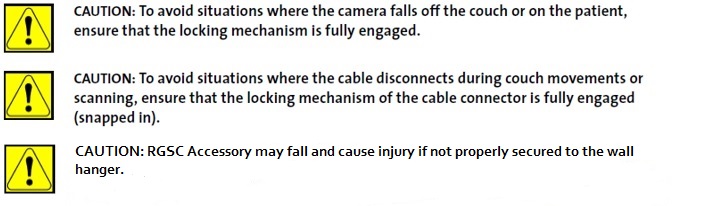
components in the scan room.note: VCD (Visual Coaching Device) has a potential risk of collision with gantry cover, and is pending for approval.note: Camera interface installed on flat top (or Cradle Mount for PET) per manufacturers instruction and all hardware is tightened properly.note: Fully understand and strictly follow Varian Service and User Manuals for the mounting bolt installation and service process control.
2 Installation
2.1 RGSC Hardware in Control Room
Procedure
- Below table lists the RGSC hardware components in the control
room.
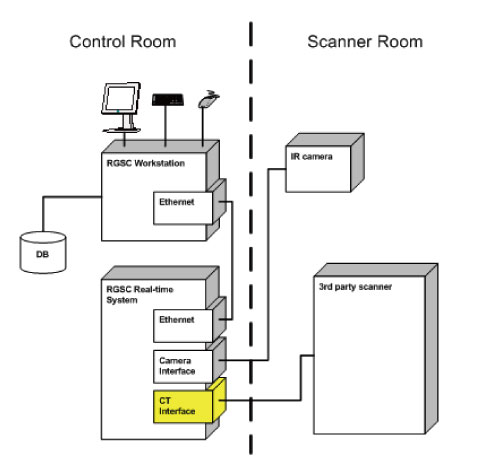
- RGSC Connectivity with Scanner. refer to below diagram
Figure 1. RGSC Connectivity with Scanner
2.2 Install Workstation and Remaining Cables
Procedure
- Locate and install the Workstation and Camera at customer’s preferred location.
- Connect cables from Workstation to Camera and Gantry IPC.
-
Connect the RGSC RPM adapter (P1008445001A) to the workstation J9.
-
Connect the RPM cable (5199717) from the RPM adapter to the Gantry IPC pulmonary.
Figure 2. RPM Cable Connect to Workstation
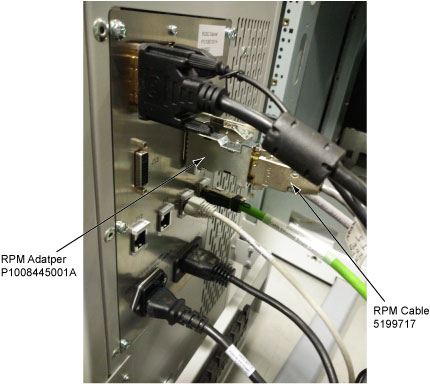
Figure 3. RPM Cable Connect to Gantry IPC Pulmonary (for CT)
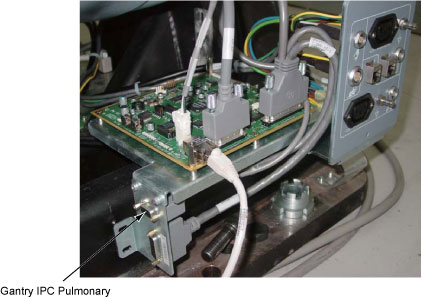
Figure 4. RPM Cable Connect to Gantry IPC Pulmonary (for PET)
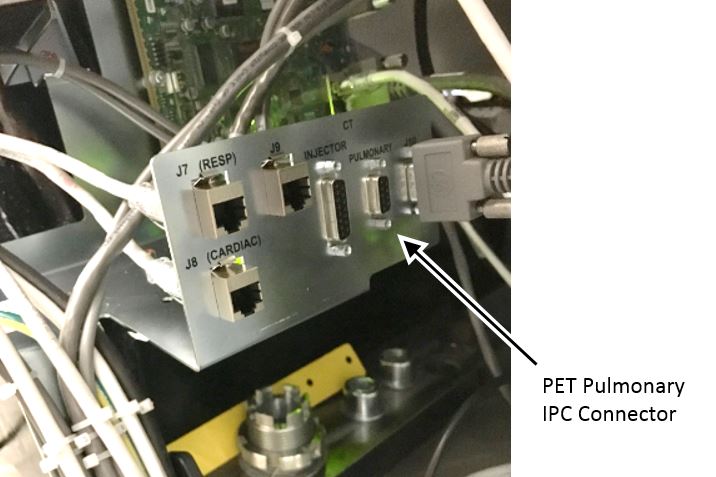
Figure 5. Camera Connection (for CT)
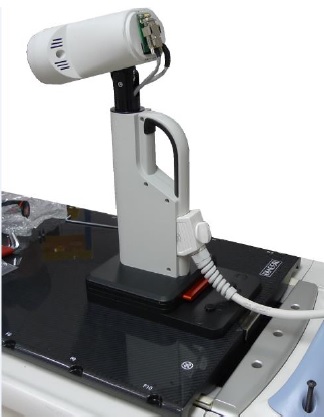
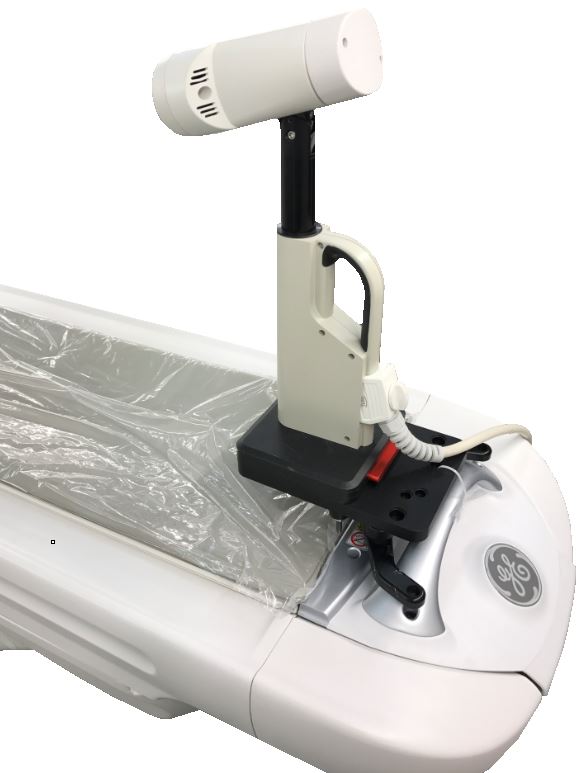
Figure 6. Camera Connection (for PET)
-
2.3 Camera Calibration and Verification
Procedure
- Camera calibration and verification, please refer to below file. See Camera Calibration
- If any other issue, please contact Varian engineer.
3 Varian RGSC Power Up and Configuration
Procedure
- Log in to Windows on the Varian RGSC computer..
- Select Therapist on the desktop, enter the password 1t$herapist
- Double-click the RGSC icon to launch the program on the desktop.
- Enter Username: Service Enter.
- Enter the password: Service Enter. The RGSC main window will appear.note: Username and Password may vary site to site. Consult with site personnel.
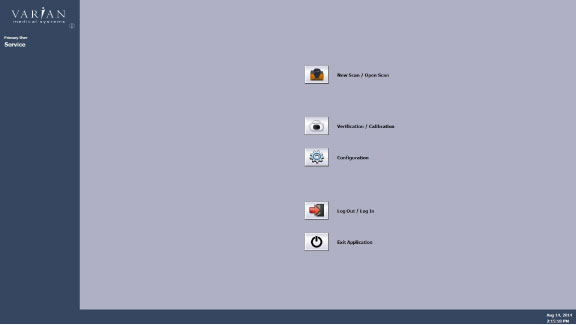
- Select New Scan / Open Scan. See Figure 7
Figure 7. Main Menu
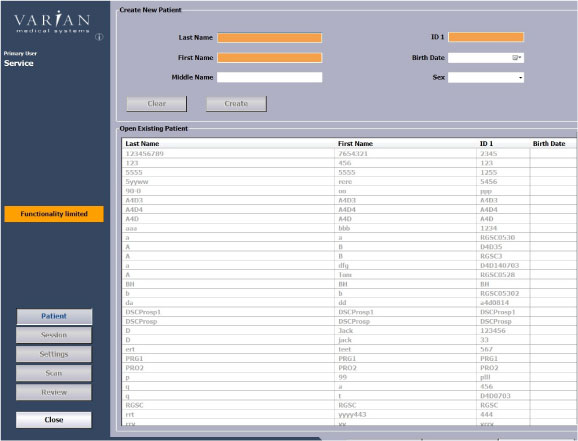
- Enter the Last Name, First Name, ID1, then click Create.
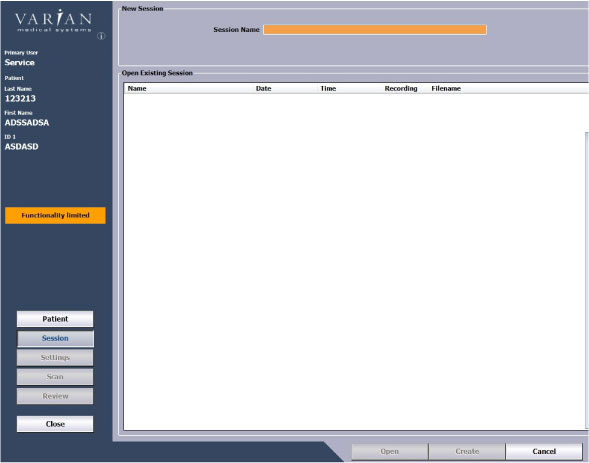
- Enter the Session Name, then click Create.
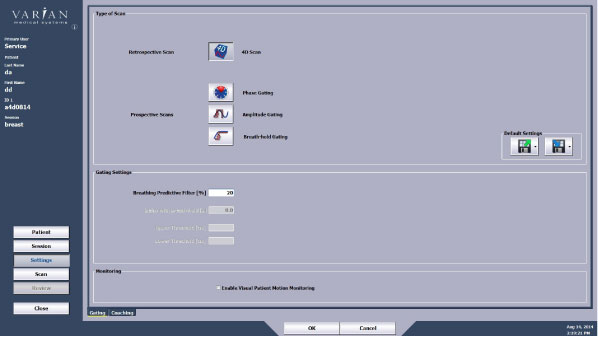
- Click 4D Scan.
- Click Record on below screen, start one series for new scan.
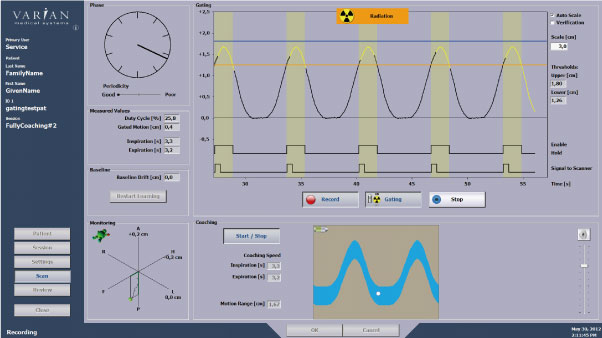
- Click Stop to stop the record after scan finished.
- Click Export to export the scan data.
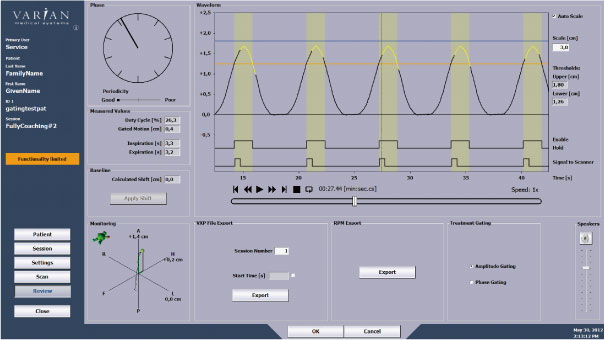
- Export path will be pop up.
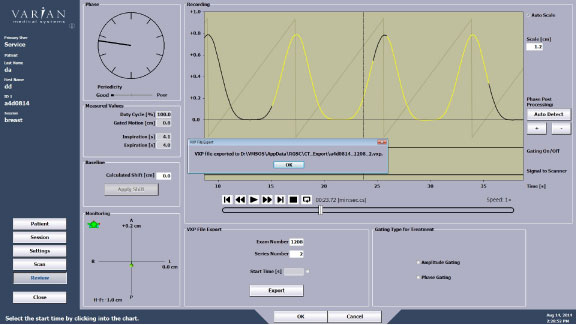
4 Finalization
Procedure
-
IMPORTANT: After completing
the installation, GE FE‘s must contact the Accessories Call
Center to report specific Varian System information.
-
The Accessories and Supplies Customer Service Team Information is:
-
The Varian information which needs to be provided to the Accessories Call Center is:
-
Serial Number
-
Date of Install
-
Facility Name and Address
-
Customer contact info (name, title, phone, e-mail)
-
GEHC FE Name and SSO#
-
-